Pioneer MVH-190UI Car Stereo
72,00 €
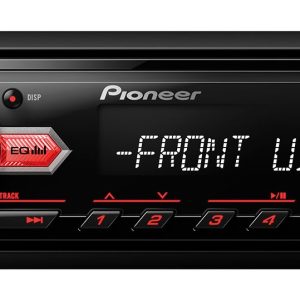
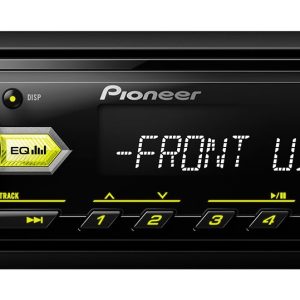
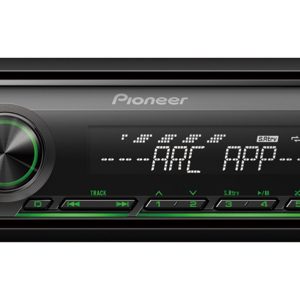
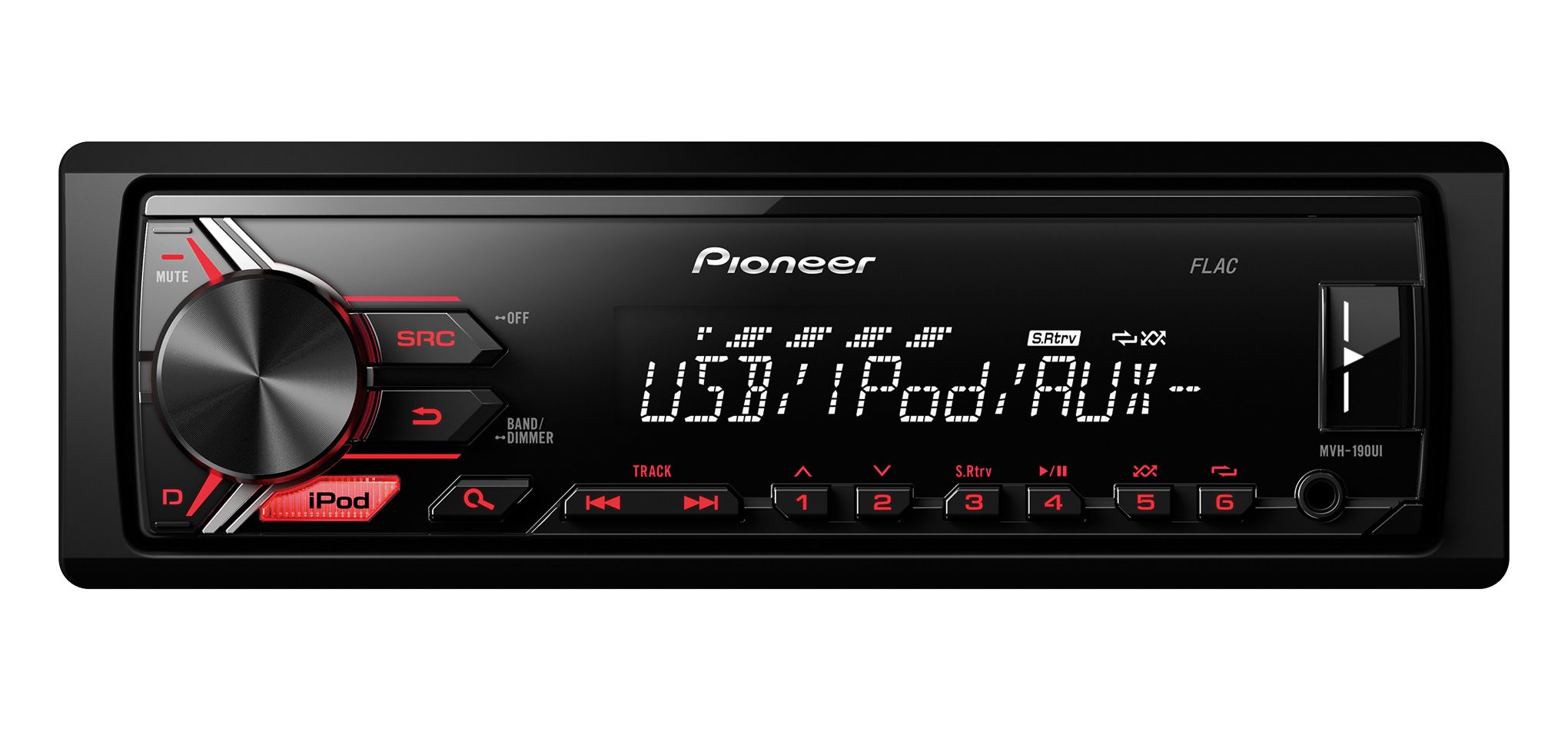
The Pioneer MVH-190UI is a 1-DIN car stereo for drivers who listen to music through USB, AUX or FM/AM radio. Its short chassis simplifies installation in a shallow dashboard opening. The front USB port plays FLAC, MP3, WAV and WMA files. Two configurable RCA outputs allow connection to an external amplifier or subwoofer. The detachable faceplate has red illuminated buttons.
Pioneer MVH-190UI car stereo is a 1-DIN digital media receiver for USB and AUX sources as well as FM and AM radio. The front USB port plays FLAC, MP3, WAV and WMA files.
Installation and everyday use
The short 1-DIN chassis leaves more room for connections and wiring behind the stereo. This is useful in cars with limited installation depth inside the dashboard.
The fully detachable faceplate can be taken with you when leaving the car. A protective case for storing the removed faceplate is available separately. Red button illumination makes the controls easier to see in the dark.
Brightness can be adjusted through ten levels, while a timer controls when the illumination operates. Power Save Mode reduces the stereo’s energy consumption when it is not in use.
Audio sources and connections
The illuminated front USB port provides quick access for connecting compatible storage media. The music browser makes it easier to find files and browse lists. An analogue player or another music device can be connected through the front AUX input.
Two RCA pre-outs can be assigned to the front channels, rear channels or a subwoofer. This gives you flexibility when planning a system with an external amplifier or a separate low-frequency channel.
The stereo has a steering wheel remote-control input and a wired remote-control input. Using the vehicle’s steering wheel buttons may require a separate adapter designed for the particular car model. These inputs do not mean that a handheld remote control is included.
Automatic telephone muting lowers the audio level when the corresponding telephone signal is activated.
Phone and app functions
iPod Direct Control lets you operate a compatible Apple device from the stereo’s faceplate. It supports list browsing, music playback, App Mode and charging. The Pioneer ARC app was intended for the iPhone 5 and later models available at the time.
Android Media mode was designed for phones running Android 4.1 or a later version available at the time. Its functions included music and app playback as well as phone charging.
These phone functions were developed for earlier generations of devices. Support for current versions of iOS, Android and Pioneer ARC is not guaranteed.
Sound adjustment
The five-band graphic equaliser lets you adjust separate frequency ranges. Begin with a neutral setting and then fine-tune the sound to suit the vehicle interior and the speakers in use.
Source level adjustment helps balance the volume of USB, AUX and radio sources. This reduces the need for sudden changes to the main volume when switching between sources.
The high-pass filter limits the low frequencies sent to the main speakers. The low-pass filter retains the frequency range intended for the subwoofer. Adjust the filters while listening from the driver’s seat.
Direct Sub Drive and Advanced Sound Retriever are also supported. Advanced Sound Retriever is intended for processing the sound of compressed music files.
Radio and display
The RDS FM/AM tuner provides 24 station presets. The BSM function automatically saves the strongest stations. Alternative frequency search helps the stereo continue following the selected RDS station as reception conditions change.
The receiver also supports traffic announcements, PTY programme search, and automatic or manual tuning. Its wide-viewing-angle VA LCD has one line with space for 13 characters. The display can also show Cyrillic characters.
Technical specifications
| Type | 1-DIN in-car digital media receiver |
|---|---|
| Chassis | Short chassis |
| Faceplate | Fully detachable |
| Faceplate accessory | Optional protective case, available separately |
| Button illumination | Red |
| Amplifier | MOSFET, claimed maximum power output of 4 × 50 W |
| Radio tuner | RDS FM/AM with 24 station presets |
| Radio functions | Traffic announcements, BSM, alternative frequency, PTY, automatic and manual tuning |
| USB file formats | FLAC, MP3, WAV and WMA |
| USB port | Front, illuminated |
| AUX input | Front |
| RCA outputs | 2, assignable to the front channels, rear channels or subwoofer |
| Sound controls | Five-band graphic equaliser and source level adjustment |
| Filters | High-pass and low-pass |
| Sound functions | Direct Sub Drive and Advanced Sound Retriever |
| Remote control | Steering wheel remote-control and wired remote-control inputs |
| Telephone function | Automatic audio muting |
| Apple functions | iPod Direct Control, App Mode, list browsing, playback and charging |
| Android functions | Android Media, app and music playback, and charging from Android 4.1 |
| Display | Wide-viewing-angle VA LCD, 1 line and 13 characters |
| Display languages | Supports Cyrillic characters |
| Illumination controls | Effects, timer and 10 brightness levels |
| Other functions | Music browser and Power Save Mode |
FAQ
Does this car stereo play CDs?
No. It is a digital media receiver without a CD or DVD mechanism. Music can be played from USB, AUX or the radio.
When should I use USB and when should I use AUX?
Choose USB for compatible music files and device charging. AUX is suitable for a player with an analogue audio output.
How do I connect a subwoofer?
Assign one of the RCA outputs to the subwoofer channel. Then use the low-pass filter and adjust the level while listening.
Can I use my car’s steering wheel buttons?
Yes. A suitable input is provided for this purpose. The required adapter must be selected according to the car model and its original steering wheel control system.
How can I balance the volume of different sources?
Use source level adjustment. Set the radio, USB and AUX levels separately to avoid pronounced volume jumps when switching between them.
Will it work with a current iPhone or Android phone?
The phone and ARC functions were designed for older generations of devices and operating systems. Support for current phones and apps is not guaranteed.