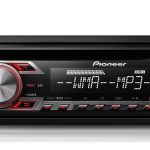
Pioneer MVH-08UBG Car Stereo
59,00 €
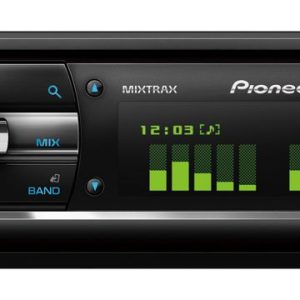
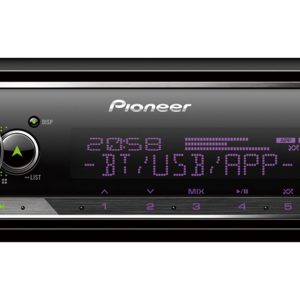
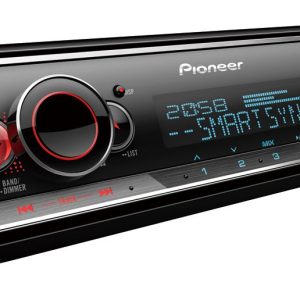
Pioneer MVH-08UBG is a 1-DIN in-car digital media receiver for drivers who use FM radio, USB storage devices or AUX sources. Its short chassis makes installation easier where mounting depth is limited, while the detachable panel comes with a protective case. A five-band graphic equaliser and two filters allow adjustment of the balance between the main channels and low frequencies. The single RCA output can be assigned either to the rear channels or to a subwoofer.
Pioneer MVH-08UBG car stereo is a 1-DIN digital media receiver for in-car use. It is designed for listening to FM radio and playing music from USB or AUX sources. The front panel is detachable, while the short chassis makes installation easier where mounting depth is limited.
Who This Model Is For
This model is suitable for drivers who value wired music sources and straightforward radio controls. The front-mounted connections let you attach a storage device or music player without having to reach the back of the receiver.
Base your purchasing decision on the confirmed FM, USB with MP3 and WMA playback, and AUX sources.
Chassis and Installation
The 1-DIN format is intended for a standard single-height opening in a vehicle dashboard. The short chassis leaves more room behind the unit for arranging cables and connections. This is useful in dashboards where the available installation depth is limited.
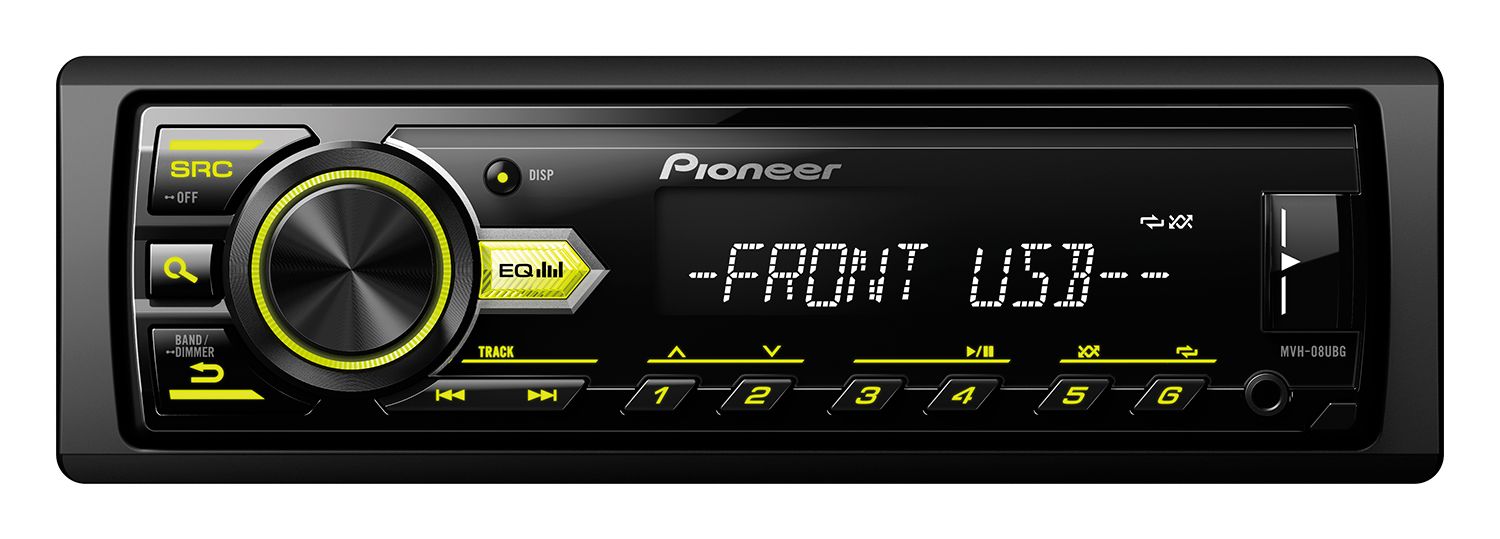
The fully detachable front panel can be taken with you when you leave the vehicle. A protective case for the panel is included. The buttons have green illumination, allowing them to match green interior lighting.
Music Sources and Connections
The front USB port supports playback of MP3 and WMA files. These are the only two file formats specifically confirmed by the available information. It is therefore best to prepare your music in one of these formats before transferring it to a USB storage device.
The front AUX input is provided for connecting another music device. The input is illuminated, making it easier to locate in the dark. Choose this connection for a device equipped with a suitable analogue audio output.
FM Radio Functions
The FM tuner provides 24 station presets. The BSM function searches for the stations with the strongest reception and helps you save them quickly. Automatic tuning is convenient for everyday station searches, while manual tuning gives you more precise control over the selected frequency.
RDS uses data transmitted by radio stations. The traffic announcement function lets you hear relevant information when the selected station broadcasts it. Automatic alternative frequency search can help keep you tuned to the same station when its reception frequency changes.
Connecting the Audio System
The MOSFET maximum power rating is 50 W × 4. This is not an RMS power figure. The measurement conditions are not specified, so this number should not be compared directly with amplifier power ratings measured under different conditions.
One RCA line output can be switched between a rear-channel signal and a subwoofer signal. Select the role required by the amplifier you are connecting. This model does not provide both signals simultaneously through separate RCA outputs.
The Direct Sub Drive function is intended for controlling the low-frequency system. Its use should be coordinated with the selected output mode and the low-pass filter setting.
Sound Adjustment
The five-band graphic equaliser allows you to adjust different parts of the audio range. Begin with all bands in a neutral position. You can then change one band at a time while listening to a recording you know well. This makes it easier to judge the effect of each adjustment.
The high-pass filter can reduce the amount of low-frequency sound sent through the main channels. It is useful when the lowest frequencies are handled by a separate speaker. This allows the main speakers to concentrate on the frequency range assigned to them.
The low-pass filter is used to limit the signal sent to the subwoofer. First select either rear-channel mode or subwoofer mode. Then adjust the filters according to the intended role of the speakers installed in the vehicle.
Display and Controls
The wide-viewing-angle VA LCD display presents one line containing up to 12 characters. Its wider viewing angle helps the driver read the displayed information from the driving position. The illuminated display also supports Cyrillic characters.
The single-line format presents the essential information without a complex multi-window menu. The colour of the display illumination is not specified and should not be assumed to be the same as the green button illumination.
Technical Specifications
| Model | Pioneer MVH-08UBG |
|---|---|
| Device type | In-car digital media receiver |
| Installation size | 1-DIN |
| Chassis | Short |
| Radio tuner | FM |
| Station presets | 24 |
| Radio functions | BSM, traffic announcements, RDS, automatic alternative frequency search |
| Frequency tuning | Automatic and manual |
| MOSFET maximum power | 50 W × 4; measurement conditions not specified |
| USB port | Front |
| USB file formats | MP3 and WMA |
| AUX input | Front, illuminated |
| Front panel | Fully detachable |
| Button illumination | Green |
| Graphic equaliser | 5-band |
| Audio filters | High-pass and low-pass filters |
| Subwoofer function | Direct Sub Drive |
| RCA line output | 1, switchable between rear channels and subwoofer |
| Display | Wide-viewing-angle VA LCD |
| Display format | 1 line, 12 characters |
| Characters | Cyrillic supported |
| Display illumination | Included; colour not specified |
What Is Included
The package includes a protective case for the detachable front panel.
FAQ
How many FM stations can be saved?
The FM tuner has 24 preset positions. The BSM function helps find the stations with the strongest reception and save them quickly.
When should I use USB, and when should I use AUX?
Use USB to play MP3 or WMA files from a storage device. Use AUX for an external music device with a suitable analogue audio output.
Is a case for the detachable front panel included?
Yes. The package includes a protective case designed for the detachable front panel.
Can the RCA output serve the rear channels and a subwoofer at the same time?
No. The single RCA output must be set either to rear-channel mode or to subwoofer mode. These are not two separate outputs.
How should I begin adjusting the equaliser and filters?
Start with the equaliser in a neutral position. Select the appropriate filter according to the frequency range assigned to each channel, then change one setting at a time.
What should I check before installation?
Check that the vehicle dashboard has a suitable 1-DIN opening, and allow enough room for the wiring and connections. The short chassis provides additional space, but it does not by itself guarantee compatibility with a particular vehicle.
Is this model intended for a home stereo or home cinema system?
No. It is a 1-DIN in-car receiver designed for installation in a vehicle dashboard. It should not be treated as a home audio system component.