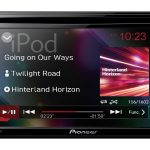
Pioneer AVH-190DVD Car Multimedia Receiver
303,00 €
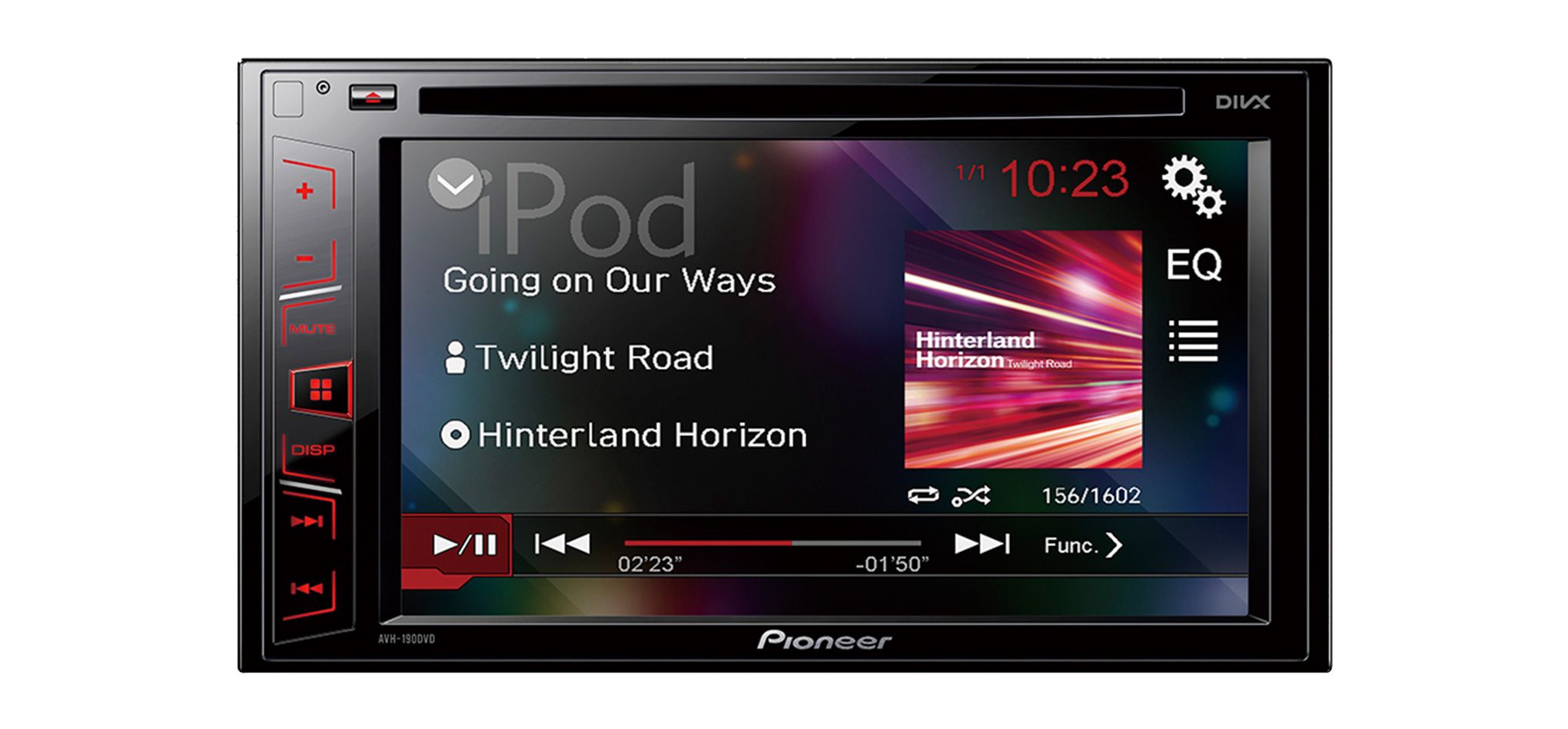
Pioneer AVH-190DVD is a 2-DIN car multimedia receiver for playing music and video in a vehicle. It has a 6.2-inch touchscreen, a CD/DVD mechanism, an RDS FM/AM radio and a rear USB port. Two pairs of RCA pre-outs allow an external amplifier or subwoofer to be connected. A USB extension cable is included, while the camera, iPod cable and remote control are sold separately.
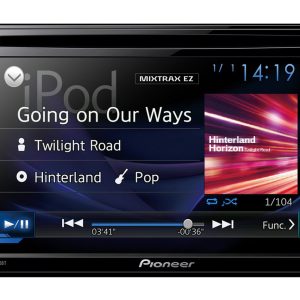
Pioneer AVH-190DVD multimedia receiver is a 2-DIN in-car CD and DVD player with a 6.2-inch touchscreen. Music, videos and photos can be played from discs or USB storage devices.
This in-car multimedia receiver is suitable for drivers who want a disc player, radio and wired media connections in a single unit. The WVGA Clear Type touchscreen provides access to source selection, playback controls and audio settings.
Display and controls
The 6.2-inch display has a 16:9 aspect ratio and selectable widescreen viewing modes. These modes let you adapt the displayed picture to material recorded in different proportions. Red button illumination clearly identifies the physical controls when the vehicle interior is dark.
The built-in five-band graphic equaliser allows individual frequency ranges to be adjusted. Source level adjustment helps balance perceived volume when switching between the radio, a disc and a USB storage device. A high-pass filter can restrict the low frequencies sent to selected vehicle speakers, providing another way to configure the sound for the installed speaker system.
Discs, USB and radio
The integrated mechanism plays CD and DVD collections. MP3, WMA, WAV and AAC audio files are supported from CDs and DVDs. Compatible video files include DivX, Xvid, MPEG-1, MPEG-2 and MPEG-4.
The rear USB connection accepts MP3, WMA, WAV and AAC audio files. It can also be used to play DivX, Xvid and MPEG video material. Support for JPEG and BMP files makes it possible to view compatible images on the receiver’s screen.
The RDS FM/AM tuner provides 24 station presets, so frequently used stations can be recalled without searching for them again. The DVD mechanism is intended for Region 2 discs. DVDs issued for another region may therefore be unplayable, even when their video format is otherwise supported.
Connections and system expansion
The USB port and auxiliary audio input are located at the rear of the receiver. Their cables should be routed while the unit is being installed, before it is secured in the dashboard. The supplied USB extension cable allows the USB connection to be brought to a more convenient and accessible location inside the vehicle.
An external video source can be connected through the RCA or mini-jack AV input. The rear video output can send a picture to an additional in-car display. A dedicated reversing-camera input and an automatic rear-view switching function are also provided.
The receiver supports PAL, NTSC and SECAM video systems. The Pioneer ND-BC8 reversing camera is sold separately and is not included with the receiver.
Two pairs of RCA pre-outs can be configured for front and rear channels. Alternatively, they can be assigned to the front channels and a subwoofer. This gives installers a choice when connecting an external car amplifier and arranging the system around the selected speakers and amplification equipment.
An ISO connector, a wired remote-control input and multifunction display support are also provided. For additional DVD control, the optional Pioneer CD-R33 remote control is available separately.
Connecting Apple devices
Direct iPod and iPhone control is specified, together with “Made for iPod” support. This is an earlier-generation wired connection feature. Compatible device generations and operation with current systems have not been established.
The required iPod cable is sold separately. Before choosing this receiver for use with a particular Apple device, check the device’s connector type and determine which cable would be required. The stated feature alone should not be treated as confirmation of compatibility with a current iPhone or operating system.
Installation and power considerations
The receiver requires a 2-DIN installation opening. Because its main media connections are positioned at the rear, the locations and cable routes for the USB port, auxiliary input and video connections need to be planned before the unit is finally fitted. Adequate space must also remain behind the receiver for the connected cables.
The quoted maximum MOSFET power rating is 50 W × 4. This is a maximum-power specification, not an RMS or continuous output-power figure. No RMS or continuous rating is stated. When planning an external audio system, use the RCA pre-outs and the specifications of the connected equipment as the relevant basis for matching components.
Technical specifications
| Model | Pioneer AVH-190DVD |
|---|---|
| Product type | In-car CD/DVD multimedia receiver |
| Installation size | 2-DIN |
| Display | 6.2-inch WVGA Clear Type touchscreen |
| Display aspect ratio | 16:9 |
| Picture modes | Selectable widescreen modes |
| Button illumination | Red |
| Disc mechanism | CD and DVD |
| DVD region | Region 2 |
| Audio files from CD/DVD | MP3, WMA, WAV, AAC |
| Video files from CD/DVD | DivX, Xvid, MPEG-1, MPEG-2, MPEG-4 |
| Audio files from USB | MP3, WMA, WAV, AAC |
| Video files from USB | DivX, Xvid, MPEG-1, MPEG-2, MPEG-4 |
| Image files from USB | JPEG, BMP |
| Radio | RDS FM/AM |
| Station presets | 24 |
| Maximum power specification | MOSFET 50 W × 4; RMS and continuous power not stated |
| USB connection | Rear |
| Auxiliary audio input | Rear |
| Video input | RCA or mini-jack AV |
| Video output | Rear |
| Camera input | For a reversing camera |
| Camera control | Rear-view switching |
| Video systems | PAL, NTSC, SECAM |
| Pre-outs | 2 RCA pairs: front and rear, or front and subwoofer |
| Audio adjustment | Five-band graphic equaliser |
| Filter | High-pass filter |
| Level adjustment | Source level adjustment |
| Other connections | ISO connector, wired remote-control input |
| Display integration | Multifunction display support |
| Apple features | Direct iPod/iPhone control, “Made for iPod”; current compatibility not established |
| Included accessory | 1 USB extension cable |
| Optional accessories | iPod cable, Pioneer ND-BC8 camera, Pioneer CD-R33 remote control |
FAQ
Will this receiver fit my vehicle’s dashboard?
A 2-DIN installation space is required. The rear connections must also leave enough room for the routed USB, AUX and video cables.
What can I connect to the rear USB port?
A USB storage device can contain supported audio, video and image files. The supplied extension cable helps bring the connection to a location that is easier to reach.
Is a reversing camera included?
No. The receiver has a camera input and a rear-view switching function, but the Pioneer ND-BC8 camera is sold separately.
How do I connect an external car amplifier?
Use the two pairs of RCA pre-outs. They can be assigned to the front and rear channels, or configured for the front channels and a subwoofer.
Can I connect a current iPhone directly?
Current compatibility has not been established. Direct control requires a separately sold cable, and the correct connector type depends on the phone generation.
What is included, and what must be purchased separately?
One USB extension cable is included. The Pioneer ND-BC8 reversing camera, Pioneer CD-R33 remote control and iPod cable must be purchased separately.
How can I balance the volume of different sources?
Use source level adjustment. It can reduce the perceived difference in volume between radio, disc and USB sources.
Will the unit play a DVD purchased abroad?
The DVD mechanism is designed for Region 2 discs. A disc from another region may not play, even if its video format is supported.