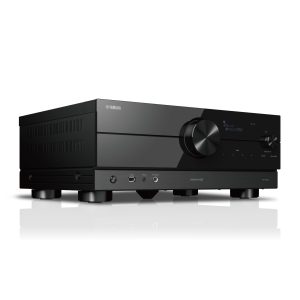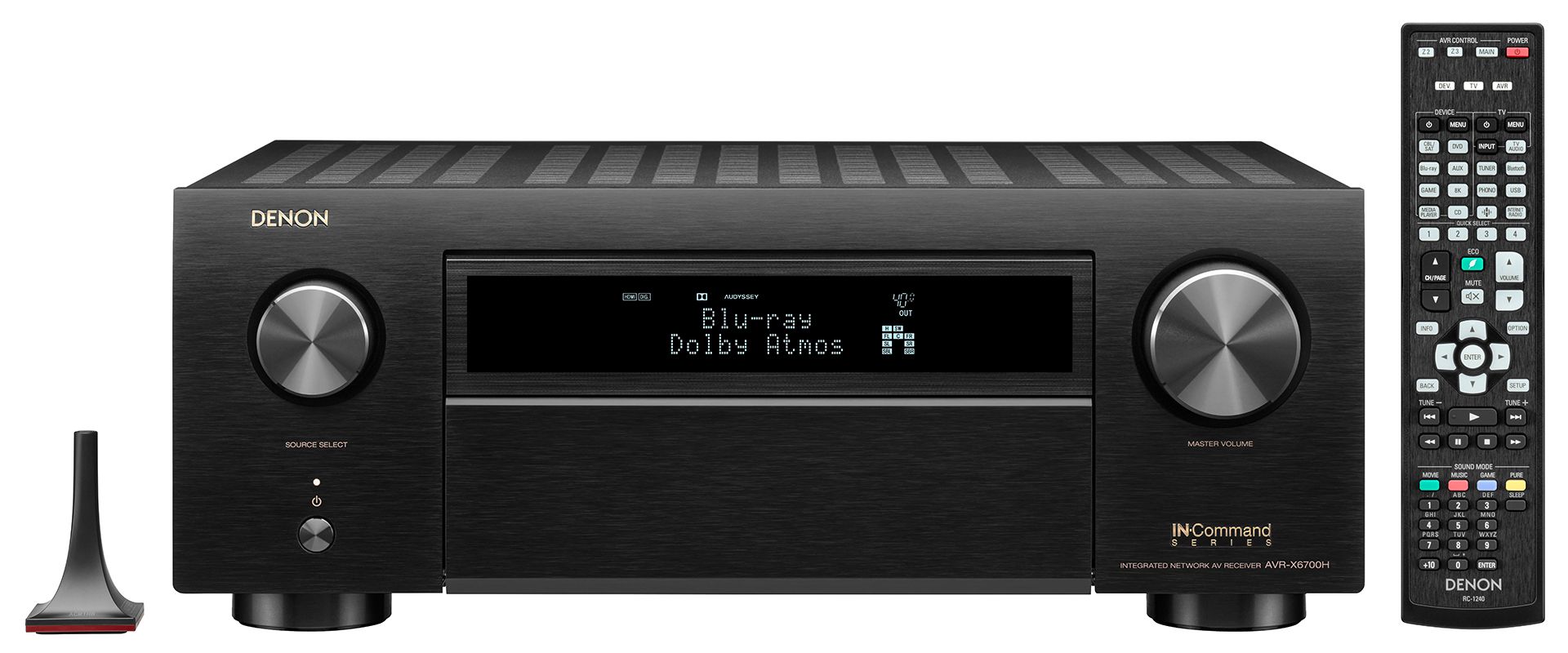
Denon AVR-X6700H AV Receiver
2 850,00 €
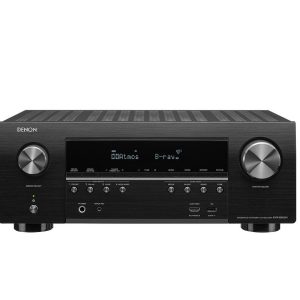
The Denon AVR-X6700H is a network AV receiver for an advanced home cinema system. It supports 8K/60 Hz, 4K/120 Hz, eARC, and the main surround sound formats. The stated 140 W per-channel output was measured into an 8-ohm load with two channels driven. Eight HDMI inputs bring multiple video and audio sources together in one system.
The Denon AVR-X6700H receiver is a network AV receiver designed for an advanced home cinema system. It supports 8K/60 Hz and 4K/120 Hz video pass-through, the main surround sound formats, and three HDMI outputs.
Who this AV receiver is for
This model suits systems with several video sources and a television or projector. Eight HDMI inputs provide a central connection point for players, gaming devices, and other compatible sources. Three HDMI outputs make it easier to distribute the signal to multiple displays.
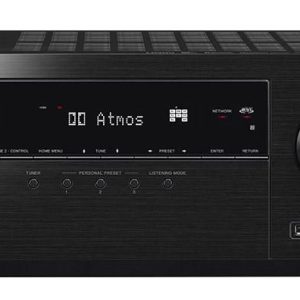
Dolby Atmos, DTS:X, DTS:X Pro, IMAX Enhanced, and Auro-3D are intended for immersive home cinema systems. Dolby Atmos Height Virtualization and DTS Virtual:X offer additional playback options when a simpler speaker arrangement is used.
Power and how it is rated
The stated output is 140 W per channel into an 8-ohm load. It is measured from 20 Hz to 20 kHz at 0.05% distortion with two channels driven. This figure does not describe the power delivered through every channel simultaneously.
Video connections and television setup
eARC sends sound from a compatible television back to the receiver through HDMI, removing the need for a separate optical connection for audio from TV apps. An eARC-compatible television and a suitable HDMI cable are required.
The video path supports Dolby Vision, HDR10, HDR10+, Dynamic HDR, and HLG. 8K upscaling is available. All eight HDMI inputs support HDCP 2.3 for sources that use this content-protection standard.
Music playback and network features
The front USB port provides convenient access for connected storage media. It plays MP3, WAV, FLAC, ALAC, and 2.8 or 5.6 MHz DSD files. Support for WAV, FLAC, ALAC, and DSD is useful when listening to high-resolution recordings.
Music can be streamed through Bluetooth, Wi-Fi, Apple AirPlay 2, and built-in HEOS. Support is listed for Spotify, Pandora, and TIDAL. Service operation depends on the region, account, apps, and software in use.
Voice-control options include Amazon Alexa, Google Assistant, Apple Siri, and Josh.ai. Availability also depends on the region and the relevant service environment.
Initial setup and room calibration
Denon Setup Assistant presents the main connection and configuration steps on screen in a clear sequence. This helps users assign sources, speakers, and video outputs correctly.
Audyssey MultEQ XT32 automatically measures the room and optimizes the receiver settings. Run the calibration after the speakers have been placed in their final positions and the main listening position has been established.
Where to install the receiver
Place the receiver on a stable, open surface with unrestricted airflow. Do not cover its ventilation openings or install it inside a sealed cabinet. Keep the rear HDMI connections and front USB port easy to reach.
Technical specifications
| Type | Network AV receiver for home cinema |
|---|---|
| Power output | 140 W per channel; 8 ohms, 20 Hz-20 kHz, 0.05% THD, two channels driven |
| Surround sound formats | Dolby Atmos, DTS:X, DTS:X Pro, IMAX Enhanced, Auro-3D |
| Virtualization technologies | Dolby Atmos Height Virtualization, DTS Virtual:X |
| HDMI connections | 8 inputs and 3 outputs |
| Audio return | eARC |
| Video pass-through | 8K/60 Hz and 4K/120 Hz |
| HDR formats | Dolby Vision, HDR10, HDR10+, Dynamic HDR, HLG |
| Video processing | 8K upscaling |
| Content protection | HDCP 2.3 on all HDMI inputs |
| USB port | Front panel |
| USB audio formats | MP3, WAV, FLAC, ALAC, DSD 2.8 and 5.6 MHz |
| Wireless connectivity | Bluetooth, Wi-Fi, Apple AirPlay 2, built-in HEOS |
| Music services | Spotify, Pandora, TIDAL; availability depends on the region and service provider |
| Voice control | Amazon Alexa, Google Assistant, Apple Siri, Josh.ai |
| Setup assistance | Denon Setup Assistant |
| Room calibration | Audyssey MultEQ XT32 |
FAQ
Can I connect both a television and a projector?
Yes. The three HDMI outputs allow the signal to be distributed to multiple displays, such as a television and a projector.
Which connection should I use for television audio?
Use an eARC-compatible HDMI connection if the television also supports it. This carries sound from television apps to the home cinema system.
How should I begin setting up the speakers?
First, place the speakers in their final positions and choose the main listening position. Then follow the on-screen steps and run the automatic room measurement.
Does the 140 W rating apply to every channel at the same time?
No. This figure was measured with two channels driven under the stated measurement conditions.
Where is the best place to install the receiver?
Choose a stable, well-ventilated shelf near the main sources. Leave space above the receiver so that heat can escape.