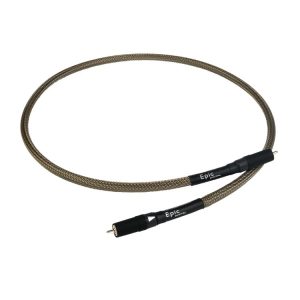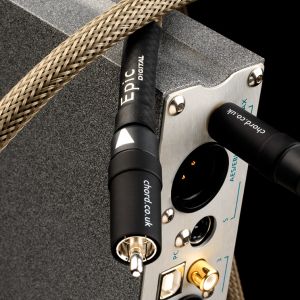
Chord Shawline XLR Balanced Analogue Cable
290,00 €
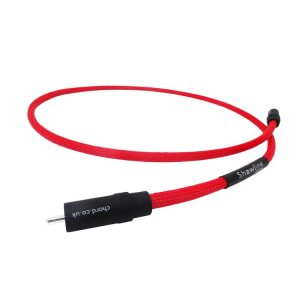
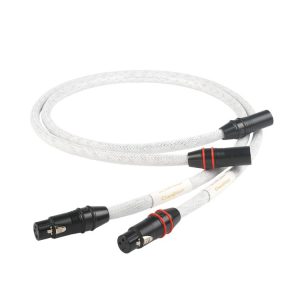
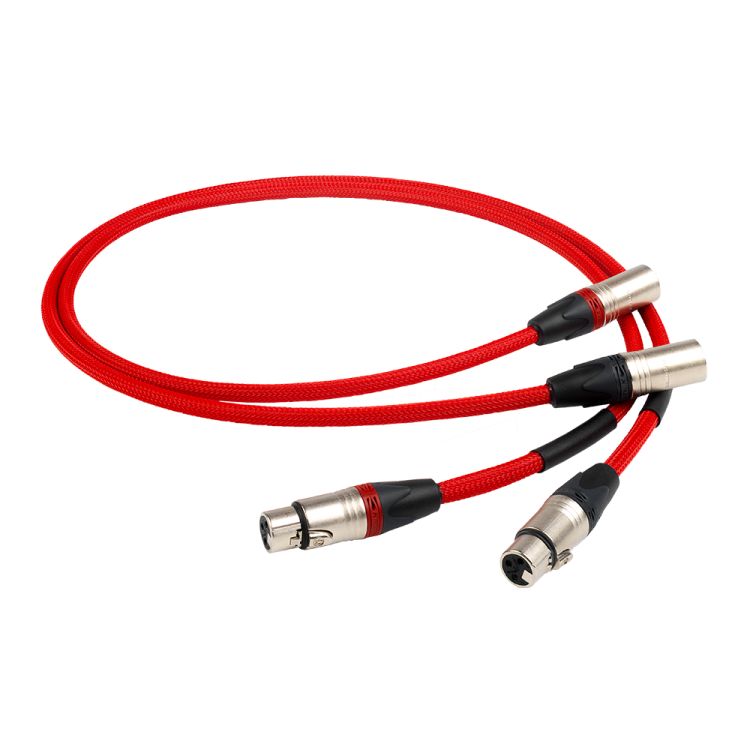
Chord Shawline XLR is a balanced analogue cable for equipment with XLR connections. Three identical FEP-insulated, silver-plated conductors carry the signals assigned to the individual XLR contact circuits. Composite shielding operates across a wide frequency range and isolates the conductors from interference in the surrounding environment. The precise Tuned ARAY configuration is assembled by hand.
Chord Shawline XLR cable is a 1 m balanced analogue interconnect designed for audio equipment with XLR connections. It uses silver-plated conductors with FEP insulation, composite shielding and Tuned ARAY technology. The precise conductor configuration is assembled by hand.
What this cable is designed for
This cable carries an analogue signal between compatible XLR outputs and inputs. It can connect an audio source to an amplifier. It is also suitable for connecting a preamplifier to a power amplifier when both components have the appropriate XLR connections.
Each XLR connection carries one audio channel. A stereo system therefore requires separate connections for the left and right channels. Before choosing the quantity, check how many channels you need to connect.
Conductors and insulation
The cable uses three identical silver-plated conductors. The same type of conductor is used for each of the three contacts in the XLR connector. This configuration is specifically designed for the XLR terminations fitted to this cable.
The conductors are separated by FEP insulation, which helps maintain their specified arrangement inside the cable. The construction also incorporates Tuned ARAY conductor technology. Because this technology requires precise positioning, the cable is assembled by hand.
The conductor configuration follows the approach used in Chord Signature and the original Sarum Tuned ARAY XLR cables. This identifies the origin of the conductor arrangement; it does not mean that cables from the different ranges are identical.
Shielding and cable routing
The composite shielding is designed to operate across a wide frequency range. Its purpose is to isolate the signal conductors from electromagnetic interference in the surrounding environment. This is particularly relevant when the cable is routed close to several components in an audio system.
Do not pull the cable tight or bend it sharply near the connectors. Leave enough slack to prevent mechanical strain on the XLR sockets. When connecting or disconnecting it, hold the connector body rather than the cable itself.
Where practical, route the signal cable away from mains cables and power supplies. If cables must cross, arrange them at right angles. This helps reduce interaction between cables that would otherwise run alongside one another.
Connection and selection
Connect one end to an analogue XLR output and the other to the corresponding XLR input. Before making the connection, switch off both components or turn down their volume. Insert each connector straight into its socket without twisting or forcing it.
Do not choose an XLR connection solely on the assumption that it will always outperform RCA. If your equipment provides both connection types, compare them in the same system. Use the same source and a similar listening level for the comparison.
Consider the complete signal path when making your choice. Check the socket labels and plan which cable will carry each channel. An adapter does not change how the equipment’s internal analogue circuitry operates.
Using the cable in an audio system
In a stereo system, the cable can be used between a source component and an amplifier, or between a preamplifier and a power amplifier. Always connect an output to an input and follow the left- and right-channel markings.
In a home cinema system, it can be used between a processor and a power amplifier. A multichannel connection requires one separate cable for every analogue channel being connected.
Before selecting the cable, measure the actual route between the relevant sockets. Include the distance needed to reach the connectors and allow a small, relaxed loop. The cable should not hang under tension or be sharply bent behind the equipment.
Technical specifications
| Model | Chord Shawline XLR |
|---|---|
| Type | Balanced analogue interconnect cable |
| Length | 1 m |
| Connector type | XLR |
| Conductors | Three identical silver-plated conductors |
| Insulation | FEP |
| Shielding | Composite shielding operating across a wide frequency range |
| Conductor technology | Tuned ARAY |
| Assembly | Hand assembled |
| Configuration origin | As used in Chord Signature and the original Sarum Tuned ARAY XLR cables |
FAQ
Which equipment can I use this cable with?
It is intended for analogue connections between equipment with an XLR output and equipment with an XLR input. This may include a source component, preamplifier or power amplifier.
Is one cable enough for a stereo system?
One XLR connection carries one channel. The left and right channels require separate connections and the corresponding number of cables.
When should I choose XLR instead of RCA?
Choose XLR when both components you want to connect provide XLR connections. If RCA sockets are also available, compare both options by listening to them in the same system.
How can I tell whether the cable is long enough?
Measure the route between the specific sockets rather than only measuring the distance between the components. Allow some slack for the connectors and for the cable to follow a natural curve.
Is the cable suitable for a home cinema system?
Yes, provided that the processor and power amplifier have XLR connections for the relevant channels. A separate cable is used for each analogue channel being connected.
How do I connect the XLR cable safely?
Switch off the equipment or turn down the volume before connecting it. Insert the connector straight into the socket, and never disconnect it by pulling on the cable.
How should I route the cable behind my equipment?
Avoid sharp bends and strain near the connectors. Do not run it parallel to mains cables over an extended part of the route.