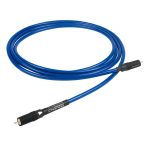
Chord Shawline Analogue RCA Interconnect Cable
210,00 €
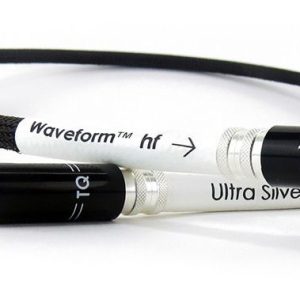
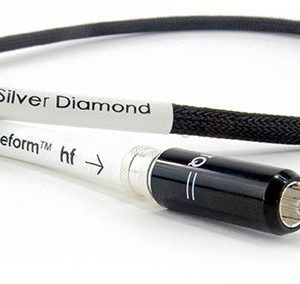
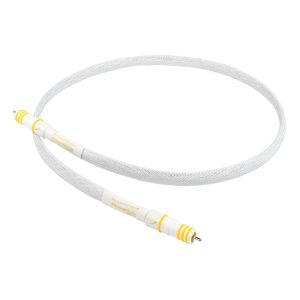
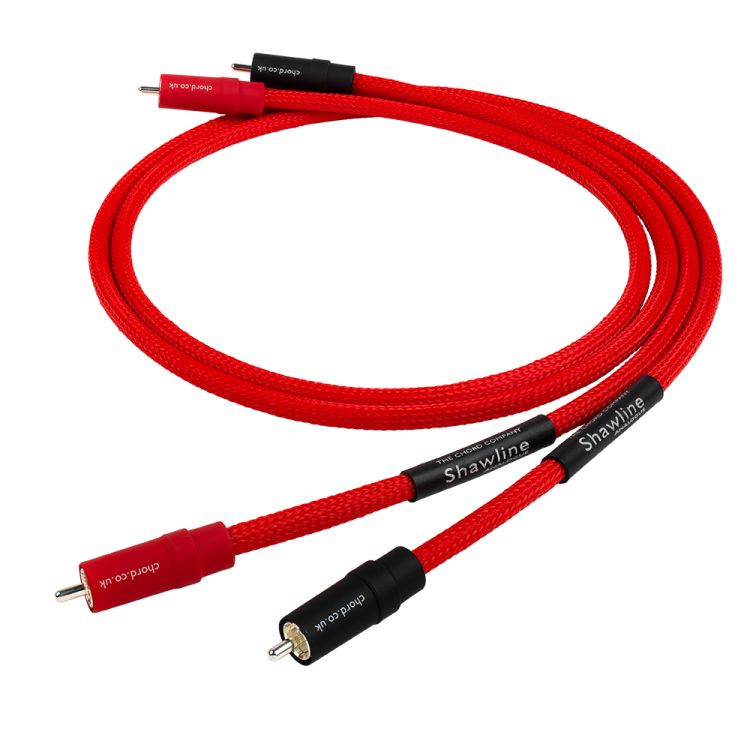
Chord Shawline Analogue RCA is an analogue interconnect cable for connecting an audio source to another system component with RCA connections. It can carry the analogue output of a DAC, CD player or network player. Assembled by hand, it uses silver-plated conductors with FEP insulation, Tuned ARAY geometry and Chord VEE3 RCA plugs. The stated 0.5 m and 1 m lengths let you choose according to the route between components.
Chord Shawline Analogue RCA is an analogue interconnect cable with RCA plugs. It carries an audio signal from a source to another component in a sound system. It can be used with a digital-to-analogue converter (DAC), CD player or network player that has an analogue RCA output. The cable uses Tuned ARAY conductor geometry, and this RCA version is also prepared for use in a turntable signal path.
Construction and materials
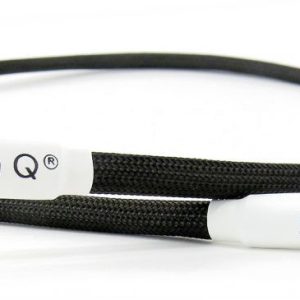
The cable is assembled by hand. Its silver-plated conductors have FEP insulation and are surrounded by a composite shield. The inner cable sits in a flexible plastic tube, with a protective braid on the outside.
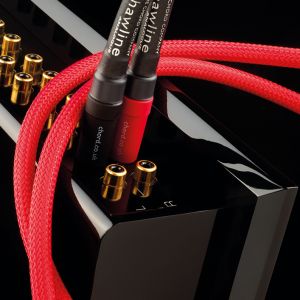
These details are worth considering when you route the cable behind your equipment. Leave room for it to curve, and avoid pulling it tight at the plug. The outer braid will be visible wherever the cable runs in the open between components.
RCA connections and audio sources
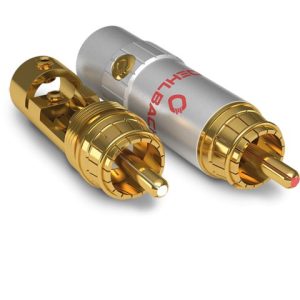
This version is fitted with Chord VEE3 RCA plugs with direct silver plating. Choose it when you need to connect an analogue RCA output to a suitable analogue input. Check both components before routing the cable: a digital socket and an analogue RCA socket serve different purposes, even when their shapes look alike.
With a DAC, connect the cable to the DAC’s analogue RCA output. The same applies to a CD player or network player: use its analogue output, if it has one. If a player provides only a digital signal, a separate component must convert that signal to analogue before it can be carried through this cable.
Before buying, check the socket’s purpose as well as its shape. Look at the label beside the connection or consult the device manual. Analogue outputs may be marked “Audio Out”, “Line Out”, “L” and “R”. A digital coaxial socket can also have an RCA shape. At the other end, find an analogue input suitable for your source. Where a device has several similar sockets, their labels will help you follow the signal direction: the source output connects to the input on the next component.
Connecting and setting up your system
In a stereo system, switch off the components before making the connection. Find the source’s analogue outputs and the amplifier’s line input. If you are connecting left and right channels, keep the channels in the same order at both ends. Once the system is on, select the connected input on the amplifier and begin at a low volume. If the source has an adjustable output level, set it according to the equipment manuals. The cable itself has no controls for volume, input selection or other settings.
In a home cinema system, the cable can serve a separate analogue connection when the source has an analogue RCA output and the receiver or amplifier has a suitable analogue input. Select that input in the receiver’s menu according to your system’s connection layout. In a system with several components, a signal might travel from a digital source to a DAC and then to an amplifier. Use this cable for the section between the analogue output and analogue input, and check the connections needed for each other section separately.
Using it in a turntable system
The RCA version is prepared for a turntable signal path. Consider the whole path when connecting a turntable: its signal generally requires a phono stage or an amplifier with a phono input. The interconnect cable does not perform phono equalisation. If your turntable needs a separate ground wire, assess that requirement using the connections on your turntable and phono stage.
Choosing a length and routing the cable
The stated lengths are 0.5 m and 1 m; 1 m is the usual length for this model. Choose the shorter option when the components are close together and the cable reaches their sockets without tension. The one-metre option gives you more room to route it behind a shelf. Measure the intended path between sockets before choosing a length, rather than measuring only the straight-line distance between the devices.
Leave enough slack that moving or turning a component will not pull on an RCA plug. The flexible tube lets you route the cable around other system cables, but there is no need to bend it sharply. If the source and amplifier sit in different parts of a shelving unit, work out the route before deciding on a length.
Also check which way the sockets face and how much space is available behind each device. For stacked components, measure the route through your chosen shelf opening or around its edge. For components placed side by side, allow enough slack to reach them without putting the cable under strain. Before settling the equipment into its final position, check that the plugs can reach the sockets without a tight bend immediately behind either connection.
Technical specifications
| Type | Analogue interconnect cable |
|---|---|
| Connectors | Chord VEE3 RCA plugs with direct silver plating |
| Conductor geometry | Tuned ARAY |
| Conductors | Silver-plated, with FEP insulation |
| Shield | Composite |
| Inner layer | Flexible plastic tube |
| Exterior | Protective braid |
| Assembly | By hand |
| Stated lengths | 0.5 m and 1 m; usual length is 1 m |
| Use | Analogue RCA connections; RCA version prepared for a turntable signal path |
FAQ
Which output should I use when connecting a DAC?
Find the DAC’s analogue RCA outputs, often marked “Audio Out”, “Line Out”, “L” and “R”. The socket’s RCA shape alone is not enough to identify it: one marked “Coaxial” or “Digital Out” carries a digital signal. If you are unsure, check the connection diagram in the DAC’s manual.
Can I use this cable with a network player that has only a digital output?
Not directly. A component that converts the player’s digital signal to analogue is needed before the RCA cable in the signal path.
How do I connect a CD player to a stereo amplifier?
Connect the CD player’s analogue RCA output to an analogue line input on the amplifier. Then select that input on the amplifier.
Can I connect a turntable without a phono stage?
The cable does not replace a phono stage. Connect the turntable to a phono input or use a separate phono stage, according to your system’s layout.
When should I choose 0.5 m, and when should I choose 1 m?
Choose the shorter length if it reaches both sockets with some slack. If the cable must run behind a shelf, measure that route and consider the longer option.
Can this cable connect to an XLR socket?
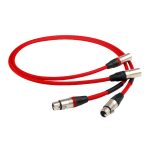
This version has RCA plugs. It requires RCA sockets at both ends of the connection it serves.