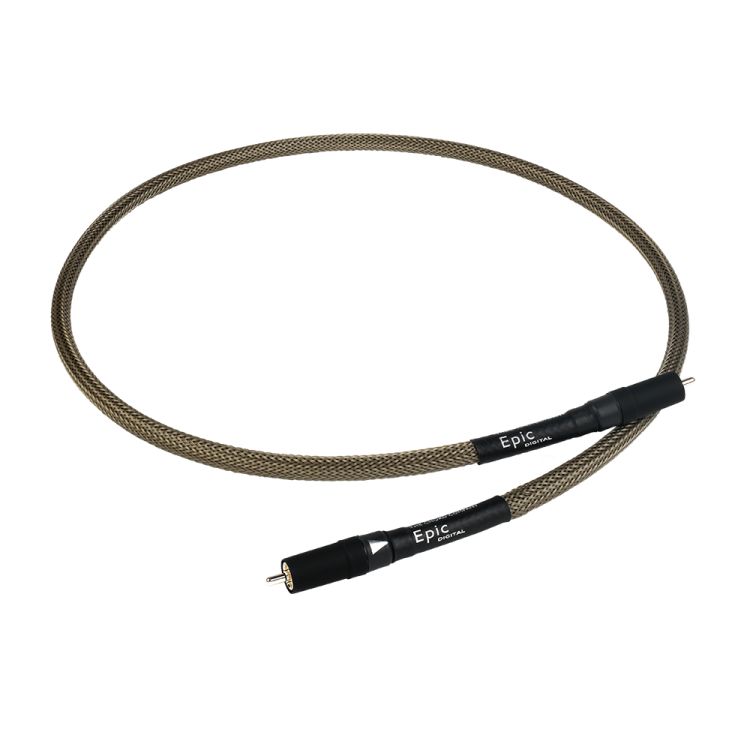
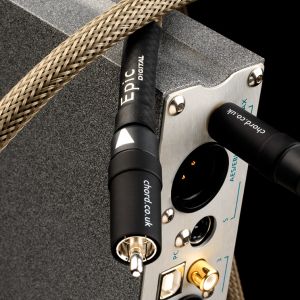
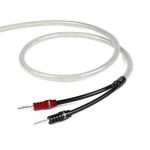
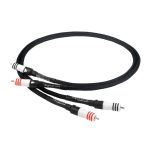
Chord Epic Digital RCA Digital Audio Cable
465,00 €
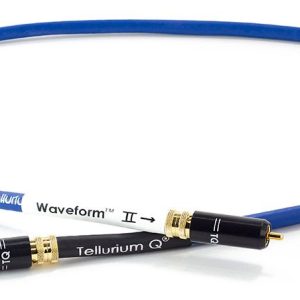
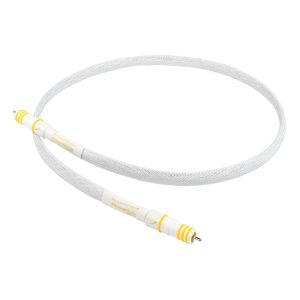
Chord Epic Digital RCA is a coaxial digital audio cable for connecting a CD transport or network player to a digital-to-analogue converter. This version has RCA connectors; a separate BNC variant is available for equipment with BNC connections. It uses silver-plated conductors, Tuned ARAY geometry and separate conductor shields. The usual length is 1 m, and other lengths can be ordered.
Chord Epic Digital RCA is a coaxial digital audio cable for connecting a CD transport or network player to a digital-to-analogue converter (DAC). This version has RCA connectors. When choosing a cable, check that the RCA sockets on both devices are intended for digital audio, then choose a length that suits the route between them.
Connecting your audio system
The cable carries a digital audio signal from a source to a converter. Connect the digital RCA output on your CD transport or network player to the corresponding digital input on the DAC. An RCA socket’s shape alone does not tell you what kind of signal it carries, so check the labels on your equipment. Do not connect this cable to an analogue RCA output.
Choose this version when the intended digital connection on both devices uses RCA sockets. If your equipment requires BNC sockets for that connection, there is a separate Epic Digital BNC version. BNC connectors are not fitted to the RCA cable described here.
Getting ready and selecting inputs
Before connecting the cable, find the socket labels on both devices. Look for a digital RCA output on the source and a digital RCA input on the converter. Manufacturers may use different names for settings and connections, so do not rely on a socket’s colour or position to identify its purpose. If the source has a menu setting for its digital output, select the output to which you have connected the cable.
Once the cable is connected, select the matching digital input on the DAC and start playback on the CD transport or network player. If the converter has several inputs, make a note of the connected input’s name so you can return to this source later. If you hear no sound, first check the selected output and input, then confirm that the source is playing. There are no controls to set on the cable itself.
Conductors and shielding
The cable uses Tuned ARAY conductor geometry and silver-plated conductors. The signal conductor and return conductor each have their own dense shield. These are construction details of this version that you may want to consider when comparing digital audio cables. They describe how the cable is made; they do not change the need to match its connectors to the digital sockets on your equipment.
Choosing the right length
1 m is the usual length for this cable. Before choosing it, measure the path the cable will actually take between the two sockets, rather than measuring only the gap between the equipment cases. The cable needs to reach both connections without being pulled tight. This matters especially when the devices sit on different shelf levels or their sockets are on opposite sides of the units.
Other lengths can be ordered if the devices are farther apart. Plan the route around your intended equipment layout so the cable can reach both sockets without having to run in a straight line across open space. Measuring the route before ordering is more useful than estimating the distance by eye.
Making room behind the equipment
When planning a position on a shelf, check where the sockets are on each device. If they are at the back, leave room behind the cases for the cable to turn without straining the connectors. Guide it along the route you have planned, away from walkways and furniture legs. Measure all the way to both sockets: the straight-line distance between the devices may be shorter than the cable length you need.
If you expect to move a device or pull it out of the shelf to reach its connections, allow enough slack for that movement too. Avoid leaving the cable taut behind the equipment or bending it at the connector. If the usual length will not accommodate your layout, choose an orderable length based on the route you measured.
Use in stereo and home cinema systems
In a stereo system, select the DAC’s corresponding digital RCA input when you want to listen to the connected source. The same connection principle applies in a home cinema system when the devices being connected have RCA sockets designated for digital audio.
If your system includes several CD transports, network players or other digital sources, count the suitable inputs you plan to use before connecting them. Plan a separate cable route and length for each connection according to where its source and receiving device sit. Once the sources are connected, select the input for the one you want to hear. Check the socket labels again when rearranging a stereo system or connecting a source to a home cinema receiver: the purpose of both sockets matters, even when their shapes look familiar.
Technical specifications
| Type | Coaxial digital audio cable |
|---|---|
| Connectors on this version | RCA |
| Usual length | 1 m |
| Other lengths | Available to order |
| Conductor geometry | Tuned ARAY |
| Conductors | Silver-plated |
| Shielding | Separate dense shields for the signal and return conductors |
| Other connector version | BNC, available as a separate variant |
| Intended use | Digital connection between a CD transport or network player and a digital-to-analogue converter |
FAQ
Will it work if my device has an RCA socket?
The socket’s shape is not enough to tell. Use this cable with RCA sockets designated for digital audio. Check your device’s connection labels to distinguish them from analogue RCA inputs and outputs.
When should I choose the BNC version?
Choose the separate BNC version when the digital connection you intend to use has BNC sockets. This page describes the RCA version, so check the connector type on both devices before ordering.
Will a one-metre cable reach devices on different shelves?
That depends on where the sockets are and the route the cable must follow. Measure from one socket to the other, allowing room for the cable to turn behind the equipment. You can order another length if needed.
Can I connect a network player to a separate DAC?
Yes, if the network player has a digital RCA output and the DAC has a corresponding input. The player sends its digital signal to the converter through this connection.
Can I use the cable with a home cinema receiver?
Yes, for a digital connection if the source and receiver have RCA sockets intended for that purpose. Analogue RCA sockets serve a different purpose.
What do I need to keep two sources connected at the same time?
The DAC or receiver needs two suitable digital inputs, and each source needs its own cable. Select the input for the source you want to hear. If there is only one suitable input, keeping both sources connected would require a compatible digital signal switch.