Oehlbach Hyper Profi Opto Optical Digital Audio Cable
45,00 €
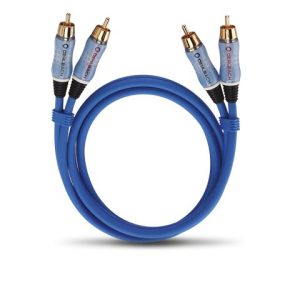
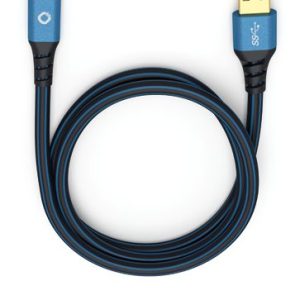
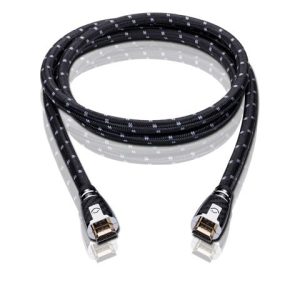
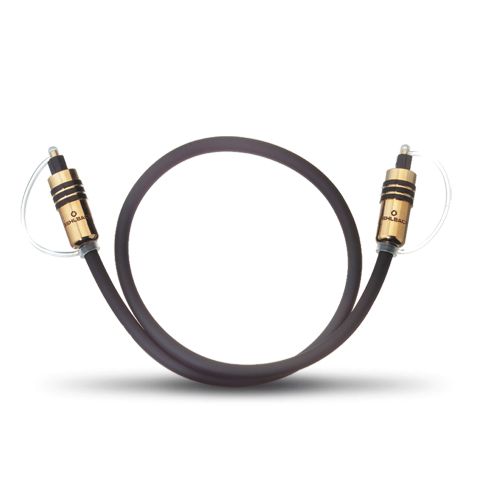
Oehlbach Hyper Profi Opto is an optical digital audio cable for devices with TOSLINK connections. Its fibre-optic conductor carries a digital signal between an audio source and a receiving device. The cable has two straight, fully metal TOSLINK plugs and a durable plastic sheath. Six lengths are available from 0.50 to 10 metres, allowing you to choose a suitable route for your system without unnecessary excess cable.
Oehlbach Hyper Profi Opto is a pre-terminated optical digital audio cable designed to connect two devices equipped with TOSLINK ports. It has straight, fully metal plugs at both ends and is available in six lengths ranging from 0.50 to 10 metres.
The cable carries a digital audio signal between a compatible source and an audio system. It can connect a television, player or another optical source to an amplifier, digital-to-analogue converter or soundbar. Both connected devices must have the appropriate optical TOSLINK connection.
Optical connectivity for your audio system
The signal travels through a fibre-optic conductor rather than an electrical audio conductor. As a result, the cable does not create an electrical connection between the devices. This can be useful in systems where the electrical circuits of the source and amplifier need to remain isolated from one another.
A TOSLINK connection carries a digital signal, leaving the receiving device to perform the audio conversion. Support for specific formats ultimately depends on the output capabilities of the source and the input capabilities of the receiving device. The cable itself does not add new audio formats or alter the functions of the connected equipment.
Plug and cable construction
Both ends feature fully metal TOSLINK plugs. Their straight design is suitable for sockets with enough clear space directly behind them. The robust construction helps maintain a reliable connection when each plug is correctly inserted into its socket.
The plug construction includes 24-carat gold-plated contacts. Because the optical signal is transmitted as light, the gold plating is not part of an electrical audio conductor. It is a construction detail of the connector.
The round cable is protected by a durable plastic sheath. Its highly flexible design makes it easier to route behind audio equipment or a television cabinet. Nevertheless, the fibre-optic cable should not be bent sharply, trapped beneath furniture or pulled by the cable when disconnecting it.
Choosing the correct length
The available length options are 0.50, 1.00, 2.00, 3.00, 5.00 and 10.00 metres. A shorter cable is suitable for devices positioned next to one another. A longer version is useful when the route must pass across a larger cabinet or reach a system component located farther away.
When selecting the length, allow a little free cable near both connections. The cable should not hang under tension or pull a plug towards one side of its socket. At the same time, avoid leaving a large, tightly coiled surplus behind the equipment.
It is also important to check the available space behind each device. If a component is positioned close to a wall, the cable needs enough room to leave the socket without making a sharp turn. This is particularly important along longer routes and inside confined television furniture.
Data transmission rate
The cable has a declared maximum data transmission rate of up to 75 Mb/s. For comparison, a rate of 12.8 Mb/s is stated for optical TOSLINK connections carrying multichannel audio formats. These figures describe the transmission channel, but they do not determine which formats the connected devices support.
In practical use, the priorities are choosing the correct connector for both devices and selecting a cable long enough for the intended route. The audio output settings on the source must also match the capabilities of the receiving device. This is especially relevant when connecting a television to a home cinema amplifier or soundbar.
Technical specifications
| Product type | Pre-terminated optical digital audio cable |
|---|---|
| Connections | 2 × TOSLINK |
| Plug orientation | Straight |
| Plug construction | Fully metal |
| Contacts | 24-carat gold-plated |
| Internal conductor | Fibre optic |
| Cable sheath | Durable plastic |
| Cable geometry | Round |
| Flexibility | Highly flexible cable |
| Connection characteristic | Reliable contact |
| Declared transmission rate | Up to 75 Mb/s |
| Stated TOSLINK multichannel audio rate | 12.8 Mb/s |
| Length options | 0.50 m; 1.00 m; 2.00 m; 3.00 m; 5.00 m; 10.00 m |
| Colour | Black |
FAQ
How can I tell whether this cable will work with my devices?
One device must have an optical TOSLINK output, while the other must have an input of the same type. The cable uses standard-shaped TOSLINK plugs at both ends.
How do I connect it to a stereo system?
Connect the optical output of the source to the TOSLINK input on the amplifier or digital-to-analogue converter. Then select that specific optical input on the receiving device.
Is the cable suitable for a home cinema system?
Yes, provided that both the source and the AV amplifier have optical TOSLINK connections. The connected devices and their settings determine which audio formats can be transmitted.
Which length should I choose?
Select the shortest option that reaches both ports without placing the cable under tension. Leave a small amount of slack so that the equipment can be moved and the cable can follow a gentle curve.
How should I route a fibre-optic cable?
Route it using broad, gentle curves and do not trap it beneath heavy furniture. When disconnecting the cable, hold the metal plug instead of pulling on the cable itself.
Do the gold-plated contacts carry the audio signal?
The audio data is transmitted through the fibre-optic conductor. The gold-plated contacts are part of the metal plug construction and are not electrical conductors for the audio signal.
Does the higher declared transmission rate mean that more formats are supported?
No. The figure of up to 75 Mb/s describes the cable’s transmission rate. The specific signal and audio format must be supported by both connected devices.
Related products