Innuos PhoenixNET Ethernet Network Switch
3 600,00 €
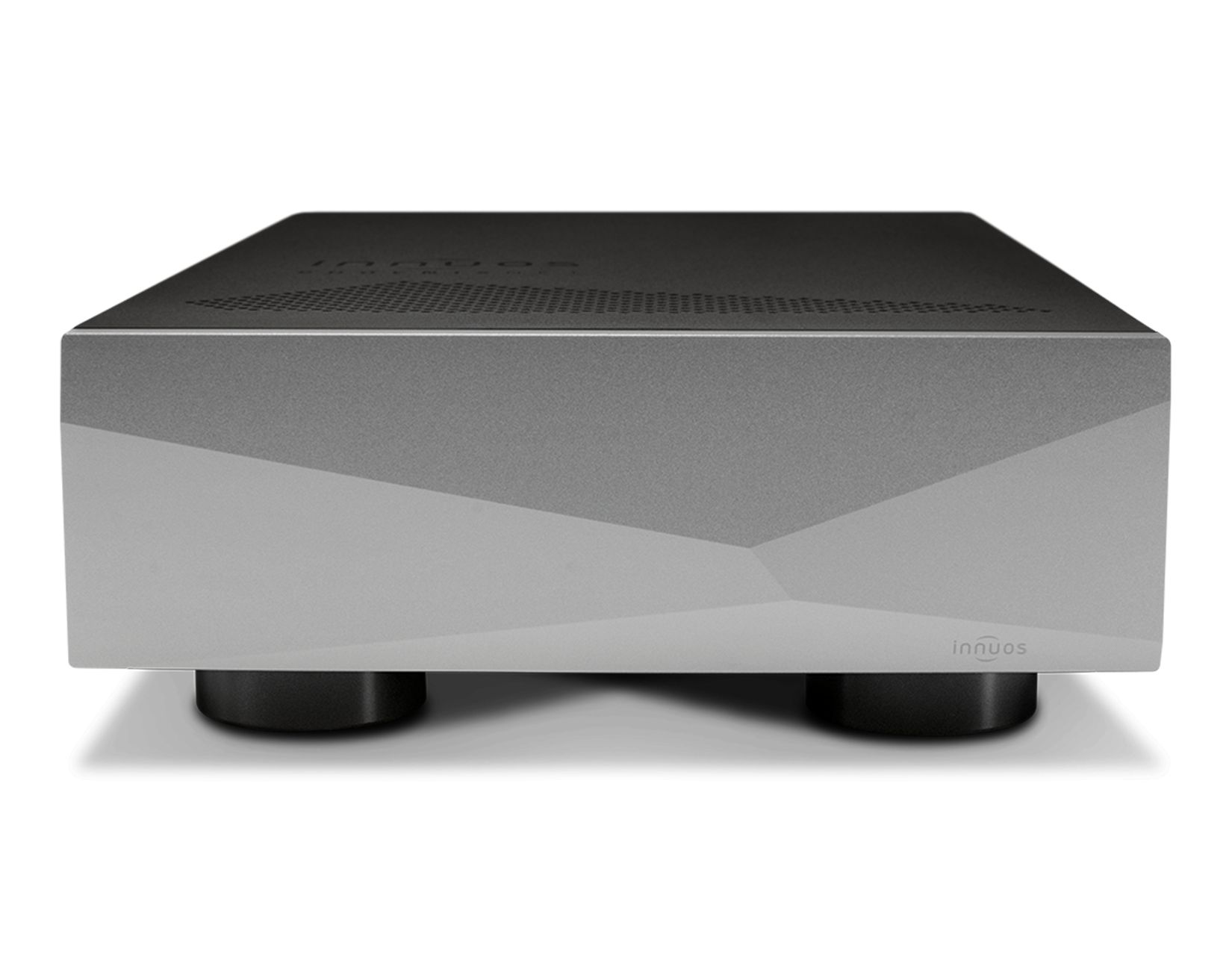
The Innuos PhoenixNET is a 100 Mbps Ethernet network switch designed for wired network audio systems. Two independent linear power supplies separately power the mainboard and 25 MHz OCXO. Individual isolation transformers, shielded RJ45 ports, and internal interference-absorbing materials are used to manage electrical noise. Anti-vibration feet, a treated top cover, and silicone port couplings supplement the management of mechanical vibration.
The Innuos PhoenixNET network switch is an audiophile 100 Mbps Ethernet network switch designed for wired network connections in audio systems. Its construction focuses on the power supply, clock generator, electrical isolation, and management of mechanical vibration.
This model is suitable for systems in which a music server, network player, or another audio device connects via RJ45. It is not a router or a wireless access point. Its purpose is to connect wired devices within a single network segment.
100 Mbps architecture
The switch uses a 100 Mbps network chip without internal switching regulators. This architecture was selected to help manage the electrical noise generated by the switch. It is a design approach, not a claimed advantage over every gigabit network switch.
The 100 Mbps speed is an important consideration when choosing this model. A network connection routed through the PhoenixNET will not operate at gigabit speed, so the switch is not intended for maximum-throughput data transfers. It is best selected for the network audio chain rather than for copying large files or creating backups at high speed.
Dedicated mainboard power supply
The mainboard is powered by an internal Statement-grade linear power supply. It provides three separate voltage rails, with independent ultra-low-noise regulation used for each voltage.
Inside the unit are two independent Statement-grade linear power supplies. One is dedicated to the mainboard, while the other powers the clock generator. Both power supplies use Mundorf capacitors. The short internal power path was chosen to reduce the potential influence of electromagnetic interference on the circuitry.
High-precision clock generator
The network chip receives its clock signal from a 25 MHz temperature-controlled crystal oscillator, or OCXO. Its specified precision is 3 ppb. This is the same type of oscillator used in the Innuos Statement.
The oscillator has its own linear power supply and connects directly to the network switch chip. This internal arrangement keeps the signal path short.
Ethernet ports and isolation
Individual network isolation transformers are used for every network connection. They are included to isolate the switch circuitry from electrical noise originating in the router and other connected devices.
The Ethernet ports are individually shielded and soldered directly to the circuit board. They do not have link or activity lights. This means that flashing indicators will not distract in the listening environment, although connection status will need to be checked on another network device.
Electromagnetic interference-absorbing material is used at selected internal locations. Its purpose is to limit the effect of internally generated interference on other circuits. This is a construction measure rather than a statement of a specific measured amount of attenuation.
Connecting it to an audio system
One Ethernet cable brings the network connection from the router or existing local network to the switch. A second cable connects the switch to a network player, music server, or another wired audio device.
In a typical stereo system, the PhoenixNET is placed before the network player. A separately connected DAC or preamplifier is suitable only if the component itself has an RJ45 network connection. Analogue and USB audio connections are not connected to this switch.
In a home cinema system, the PhoenixNET can provide the wired network connection for an AV amplifier or media player. The switch does not carry HDMI video and does not replace audio connections. It handles Ethernet data traffic only.
Enclosure and vibration management
The enclosure rests on anti-vibration feet tuned to its resonant frequency. A vibration-damping treatment is applied to the top cover. Its purpose is to convert vibration caused by sound waves into a small amount of heat.
The RJ45 ports are coupled to the enclosure through a silicone connection. This solution supplements the management of mechanical vibration at the cable connection points.
Place the switch on a firm, level surface.
Technical specifications
| Model | Innuos PhoenixNET |
|---|---|
| Product type | Audiophile Ethernet network switch |
| Network chip speed | 100 Mbps |
| Internal switching regulators | Not used |
| Mainboard voltage rails | Three independent voltage rails |
| Voltage regulation | Separate ultra-low-noise regulation for each voltage |
| Network isolation | Individual network isolation transformers |
| Port type | RJ45 Ethernet ports |
| Port shielding | Each port is individually shielded |
| Port mounting | Soldered directly to the circuit board |
| Activity indicators | None |
| Electromagnetic interference management | Absorbing material at selected internal locations |
| Clock generator | 25 MHz OCXO |
| Clock precision | 3 ppb |
| Clock connection | Directly connected to the network switch chip |
| Power supplies | Two independent Statement-grade linear power supplies |
| Powered circuits | Separate power for the OCXO and mainboard |
| Power-supply capacitors | Mundorf |
| Internal power path | Shortened |
| Feet | Anti-vibration feet tuned to the enclosure’s resonant frequency |
| Top cover | Vibration-damping treatment |
| RJ45 coupling to the enclosure | Silicone connection |
FAQ
Does this switch replace an internet router?
No. The router continues to manage the internet connection and local network. The PhoenixNET is inserted into the wired audio network chain.
Can a DAC be connected directly to it?
Yes, provided that the DAC has an RJ45 network connection and operates as a network audio device. USB and coaxial connections are not used here.
What does the 100 Mbps speed limitation mean?
The network segment routed through the switch will not operate at gigabit speed. This is important if you plan to transfer large files over the same connection.
How can I check the connection when the ports have no lights?
Check the connection status through the management interface of the router, music server, or network player. The switch itself does not provide a visual indication of individual port status.
Where should it be placed in an audio system?
Place it between the router or local network and the network audio source. Position the enclosure on a stable, level shelf.
Is it suitable for a home cinema system?
It is suitable for the wired network connection of an AV amplifier or media player. The switch does not carry HDMI, analogue audio, or loudspeaker signals.