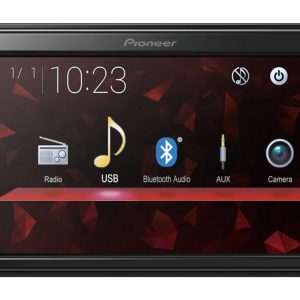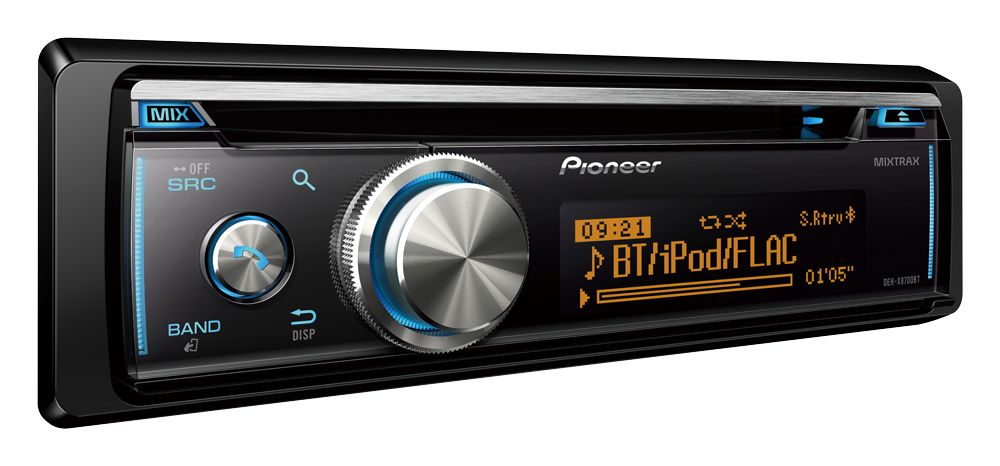
Pioneer DEH-X8700BT Car CD Player
218,00 €
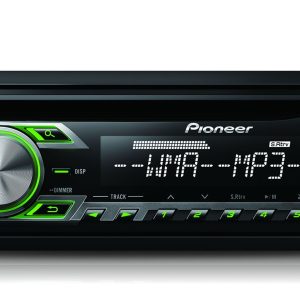
The Pioneer DEH-X8700BT car CD player fits a 1-DIN installation space and manages several music sources. CD-R/RW, USB, a rear Aux input and Bluetooth let you choose between discs, storage media, a phone or an external player. Three pairs of 4 V RCA outputs simplify amplifier and subwoofer connections. The detachable panel and zoned illumination with 210,000 colours let you coordinate the controls with the vehicle interior.
The Pioneer DEH-X8700BT CD player is a 1-DIN car audio unit designed to manage several music sources. It accepts CD-R and CD-RW discs, reads USB storage devices and streams audio through Bluetooth. A rear auxiliary audio input accommodates an additional external player.
Three pairs of 4 V RCA line outputs serve the front, rear and subwoofer channels. This is useful when planning a system with external amplifiers or an active subwoofer.
Music sources and phone connectivity
USB playback supports MP3, WMA, WAV, AAC and FLAC files. The CD player supports MP3, WMA and AAC recordings. Random playback and last-position memory make it easier to resume listening to a disc.
Bluetooth provides music streaming, wireless track browsing and voice recognition. Two phones can remain connected simultaneously. Guest mode simplifies temporary phone connections, while the phone book can be transferred automatically.
At launch, the stated phone features included direct iPod and iPhone control, list browsing, music playback and charging. USB control was intended for Android 4.0 and the newer versions available at that time. Android 2.3 required a separate Pioneer app. Present-day support depends on the phone, operating system and availability of legacy apps.
Controls and display customisation
The wide-viewing-angle VA LCD has three dot-matrix lines and supports Cyrillic characters. The music browser helps you find tracks, while CD and MP3 text displays file information.
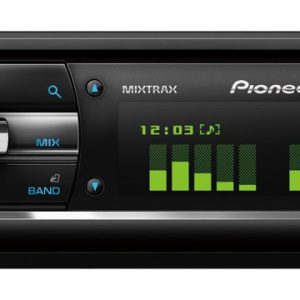
Button and display illumination can be adjusted as separate RGB zones, with 210,000 colours available. Illumination effects, a light line, timer and ten brightness levels provide further adjustment.
Sound adjustment
A five-band graphic equaliser adjusts the overall tonal balance. Source-level adjustment helps reduce volume differences when switching between CD, USB, radio and phone sources.
The high-pass filter helps keep low frequencies away from the main channels. Subwoofer control and Direct Sub Drive provide additional system-tuning options. Advanced Sound Retriever also works with Bluetooth sources.
The 50 W × 4 rating indicates maximum MOSFET power. It is not an RMS power figure, so the two ratings should not be compared directly.
Radio and installation
The RDS FM/AM radio stores 24 stations. PTY search helps select a programme type, while BSM finds the stations with the strongest reception. Traffic announcements, alternative-frequency search, and automatic or manual tuning are supported.
The player requires a 1-DIN installation space. Because the Aux input is on the rear, route its cable before securing the unit. Position the external Bluetooth microphone near the driver without obstructing the view.
Technical specifications
| Type | 1-DIN car CD player |
|---|---|
| Maximum power rating | MOSFET 50 W × 4 |
| Front panel | Fully detachable |
| Display | Wide-angle VA LCD, three-line dot matrix, Cyrillic characters |
| Illumination | Button and display illumination, zoned RGB control, 210,000 colours |
| Illumination controls | Effects, light line, timer, 10 brightness levels |
| Radio | RDS FM/AM, 24 station presets |
| Radio features | PTY, BSM, traffic announcements, alternative-frequency search, automatic and manual tuning |
| Discs | CD, CD-R, CD-RW |
| CD formats | MP3, WMA, AAC |
| CD features | Random playback, last-position memory, CD text, MP3 text display |
| USB formats | MP3, WMA, WAV, AAC, FLAC |
| Audio sources | CD, USB, Bluetooth Audio, rear Aux input, radio |
| Bluetooth features | Two continuously connected phones, guest mode, automatic phone-book transfer |
| Call features | Wideband speech audio, voice recognition, external microphone |
| Apple features stated at launch | Direct iPod and iPhone control, app mode, list browsing, playback, charging |
| Android features stated at launch | USB control, music playback, charging and voice control |
| Inputs | USB, rear Aux, wired remote-control input |
| RCA outputs | Three 4 V pairs: front, rear and subwoofer channels |
| System support | Multi-function car display |
| Sound controls | Five-band graphic equaliser, high-pass filter, source-level adjustment |
| Additional audio features | Subwoofer control, Direct Sub Drive, Advanced Sound Retriever |
| Other playback features | Direct digital audio playback, MIXTRAX, MIXTRAX EZ, iTunes Tagging, music browser |
Included items
- Front-panel case
- One 1.5 m USB cable
- One external Bluetooth microphone
FAQ
Will the player fit every car?
It requires a 1-DIN installation space. Depending on the vehicle, a separate fascia, wiring adapter or aerial connector adapter may be required.
How do I connect an external amplifier and subwoofer?
Use the appropriate pairs of 4 V RCA outputs. The front and rear outputs serve channel amplifiers, while the third pair is intended for the subwoofer channel.
When should I use Bluetooth, USB or Aux?
Bluetooth is the most convenient choice for wireless audio and calls. USB suits supported files stored on a compatible device, while the rear Aux input accepts an analogue audio source.
Where should I begin when adjusting the sound?
First balance the volume levels of the different sources. Then adjust the five-band equaliser and enable the high-pass filter as appropriate for the speaker system in use.
Where should I install the supplied microphone?
Mount it near the driver where trim panels will not cover it. Route the cable so that it neither interferes with driving nor obstructs the driver’s view.