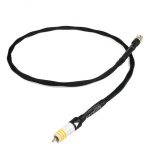
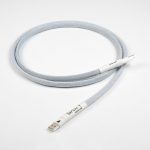
Chord Sarum T Super ARAY Digital RCA Coaxial Cable
2 100,00 €
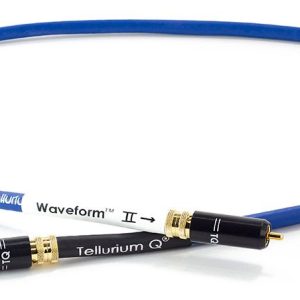
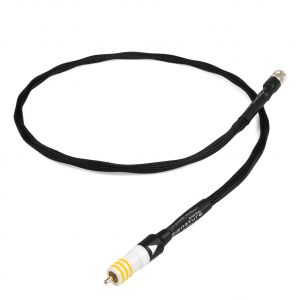
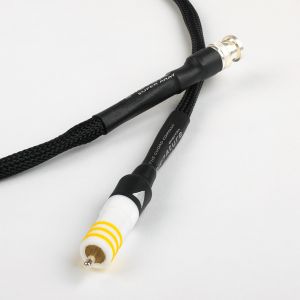
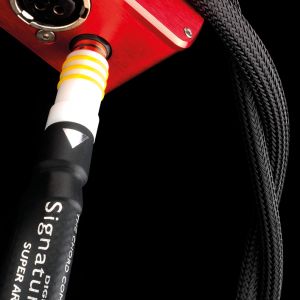
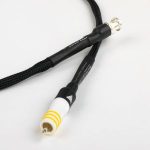
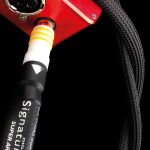
Chord Sarum T Super ARAY Digital RCA is a digital coaxial cable for equipment with matching RCA connections. This one-metre version directly connects one digital coaxial output to an input of the same type. The cable does not convert connections or signals, so both devices must have suitable digital RCA sockets.
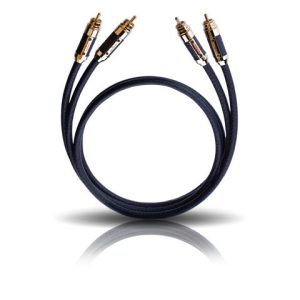
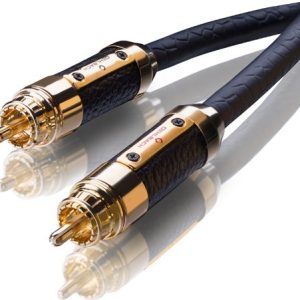
Chord Sarum T Super ARAY Digital RCA is a 1 m digital coaxial cable. It is designed to carry a digital audio signal between an audio source and a receiving device.
This is the specific RCA version, connecting one digital coaxial RCA output to one input of the same type. It does not replace an optical, BNC or AES/EBU cable and is not intended for analogue connections. Suitable sockets are usually labelled as digital or coaxial.
Purpose within an audio system
This cable provides a single digital connection between an audio source and a signal-receiving device. The source may be a transport, player or another suitable component, while the receiving device may be a converter, amplifier or AV receiver.
The shape of an RCA connector is used for both analogue and digital cables, so a socket’s appearance alone does not establish its purpose. Before making the connection, read the label beside each socket and follow the instructions supplied with your equipment.
Do not connect the cable to a standard pair of analogue RCA inputs, speaker terminals or an amplifier’s power outputs. Insert each plug straight into its socket without twisting it or applying excessive pressure.
Choosing the RCA version
Before purchasing, inspect the rear connection panels of both devices and compare the socket labels. Do not identify the required connection solely by its shape or colour, because RCA sockets can carry signals intended for different purposes.
The cable does not change the connection standard or convert the signal. Adding a simple adapter will not turn an optical connection into an electrical digital connection either. That type of change requires a separate signal converter selected to suit both devices.
If you intend to change your equipment, check the sockets on both your current components and the models you expect to use later. This will help you determine in advance whether the RCA version will remain practical after the system is updated.
Length and cable routing
The one-metre length is intended for components positioned relatively close together. Before buying, measure the actual route between the two sockets. Allow for the depth of the shelf, bends behind the equipment and a small amount of extra cable for convenient connection.
The cable should not hang under tension between the two sockets. Leaving a little slack reduces mechanical strain on the connections. However, unnecessary excess length should not be wound into a tight coil behind the equipment.
Route the cable so that you can reach it without having to move the entire system. Do not trap it against furniture edges or bend it sharply immediately beside the plug. Sensible positioning also makes it easier to move the equipment and reconnect the cable when necessary.
Connection and initial setup
Before connecting the cable, lower the system volume and switch off the components involved. Insert one end into the source’s digital coaxial output. Connect the other end to the selected digital coaxial input.
After switching the system on, select the input to which the cable is connected on the receiving device. The cable itself has no input selection or other controls. The connected components determine the audio format, output configuration and input mode.
If there is no sound, first check the name of the selected input. Then confirm that the source’s digital output is enabled. Both cable plugs must also be inserted fully into their respective sockets.
Use in stereo and home cinema systems
In a stereo system, the cable can connect a digital source to a converter or to an amplifier equipped with a digital input. An amplifier that has analogue inputs only will also require a separate digital-to-analogue converter (DAC).
In a home cinema system, connect the cable to the chosen input on the AV receiver and assign the required source to that socket in the receiver’s settings. If necessary, also check the audio output settings on the source device.
Multiple sources require separate inputs and separate connections. This cable is not a signal splitter. It does not switch between inputs either, so that function must be handled by the amplifier, receiver or a separate switching device.
Technical specifications
| Model | Chord Sarum T Super ARAY Digital RCA |
|---|---|
| Product type | Digital coaxial cable |
| Connector version | RCA |
| Length | 1 m |
| Purpose | Digital audio connection between compatible coaxial RCA sockets |
FAQ
How can I distinguish a digital RCA socket from an analogue one?
Check the label beside the socket. You need an output marked as digital or coaxial and an input identified in the same way. The familiar red and white analogue pair is intended for a different type of signal.
Can the cable be connected directly to a stereo amplifier?
Yes, provided that the amplifier has a digital coaxial RCA input. An amplifier equipped only with analogue inputs will require a separate digital-to-analogue converter (DAC).
Is this version suitable for an AV receiver?
It is suitable for an AV receiver with a digital coaxial RCA input. After connecting the cable, select or assign the corresponding input in the receiver’s settings.
Can it replace an optical cable?
No. Optical and coaxial connections use different sockets and different signal transmission methods. This model is intended for an RCA-to-RCA digital connection.
Can the cable be used for an analogue stereo signal?
This version is intended for a digital coaxial connection. An analogue stereo signal normally requires a two-channel analogue cable with separate connections.
Can one cable connect multiple sources?
No. It connects one output to one input. Multiple sources require additional cables and a sufficient number of inputs on the receiving device.
What should I check if there is no sound after connection?
Check the purpose of both sockets, the digital output setting on the source and the input selected on the receiving device. Also make sure that both plugs are inserted fully.