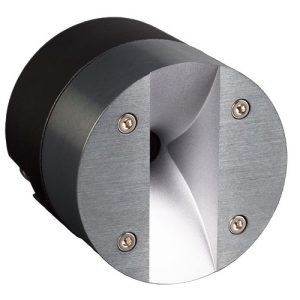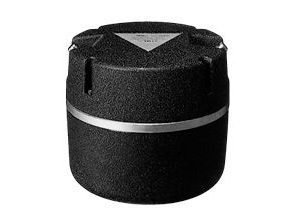
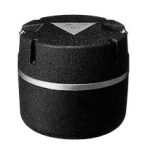
TAD DP-2001 Digital Audio Disc Player
1 400,00 €
TAD DP-2001 is a digital audio disc player intended for a home audio system. Before buying, verify the specific unit’s connections, supported disc types, dimensions, power requirements, and package contents.
TAD DP-2001 is a digital audio disc player intended for a home audio system. As no independent source covering this specific model was available, buyers should verify the seller’s stated package contents, connections, dimensions, finish, price, and availability before making a purchase.
What is known about the model
The TAD DP-2001 is identified on this page as a digital audio disc player. This is the only specific product purpose that can be stated without making additional assumptions at model level. The supplied information does not confirm the exact types of discs it can play, its control functions, available outputs, cabinet colour, external dimensions, or included accessories.
For that reason, the model name should not be treated as proof of any particular feature. A digital audio disc player may need to work with several other parts of a home system, but its suitability depends on the actual connections and functions fitted to the individual unit. These details should be established from reliable documentation or by inspecting the product itself.
What to check before buying
Begin by comparing the complete model designation in the listing with the marking on the unit or in its documentation. Confirm that the product is identified specifically as the DP-2001 and check whether any additional letters, numbers, or regional markings appear. This simple step helps ensure that information supplied for another version is not being applied to the unit under consideration.
Next, ask the seller for a clear photograph of the rear-panel connections or request the manufacturer’s manual for the exact model. The labels beside the sockets are particularly important. They can help establish which outputs are fitted, what type of cable will be needed, and whether the player can be connected to the equipment already in your system.
You should also verify the supported disc formats, power requirements, external dimensions, finish, and complete package contents. None of these details is confirmed in the material available for this page. They remain important when assessing system compatibility, available shelf space, and possible additional costs. If a required cable, remote control, manual, or other item is not included, that may affect both installation and everyday use.
When considering a particular example, ask the seller to describe its condition and to distinguish clearly between original accessories and later replacements. Do not assume that every unit offered under the same model name will be supplied with identical items. The confirmed contents of the specific package should form the basis of the buying decision.
Connecting the player without assumptions
A suitable cable can be selected only after the connection and signal types at both ends have been confirmed. The model name alone does not show whether this player provides an analogue output, a digital output, or another type of connection. Before connecting it, refer to the labels on the actual unit and follow the instructions written for that model.
If the system includes an amplifier, AV receiver, active speakers, or a separate converter, compare the player’s confirmed output with an input that the receiving component genuinely provides. Matching the physical shape of two sockets is not, by itself, enough; their intended signal types must also be compatible. The documentation for both components should be used when making this comparison.
There is no basis in the available description for claiming that the TAD DP-2001 can connect directly to any particular type of component. It is also not confirmed whether the player includes volume control. This matters especially when considering a direct connection to active speakers, since the required signal and control arrangement cannot be determined from the product name alone.
After making a verified connection, select the corresponding input on the receiving device and follow the operating sequence in the relevant manuals. If no sound is heard, check the selected input, the cable and socket pairing, and whether the inserted disc type is supported before assuming that the player or another system component is faulty.
Placement and care
Obtain the exact cabinet dimensions before choosing a shelf or equipment position. You should also check any clearance requirements stated by the manufacturer and compare them with the usable space around the intended location. The necessary measurements are not included in the supplied information, so suitability for a particular shelf cannot be confirmed from this page.
General installation advice cannot replace instructions written for the TAD DP-2001. The correct procedure for positioning the unit, inserting and removing discs, operating its controls, and cleaning its surfaces or disc mechanism should be checked in model-specific documentation. Following those instructions also helps avoid using an unsuitable method merely because it is common with a different player.
Before use, verify the unit’s stated power requirements from its marking or manual. This page does not provide a power rating or confirm a regional power variant. The requirement shown on the specific unit should therefore be checked before it is connected to a power supply.
Technical specifications
| Manufacturer | TAD |
|---|---|
| Model | DP-2001 |
| Device type | Digital audio disc player |
FAQ
What is the main purpose of this model?
It is a digital audio disc player intended for a home audio system. The specific types of discs it can play should be confirmed in the documentation for this exact model rather than inferred from the general product category.
How can I determine whether the player is compatible with my system?
Compare the output fitted to the actual player with the input on the receiving device, using the labels beside the connections or the manuals for both products. Select a cable only after confirming that the connection and signal types are compatible.
What should I do if there is no sound after connecting it?
Check that the correct system input has been selected, that the cable matches the connections on both devices, and that the inserted disc is supported. If the problem remains, follow the troubleshooting sections in the manuals for the player and the receiving component.
Can the player be connected directly to active speakers?
This cannot be confirmed without accurate information about the player’s outputs and volume-control capabilities, as well as the speakers’ inputs. Check the documentation for both devices or ask the seller to confirm the relevant details before attempting a direct connection.
What should be included with the product?
The package contents have not been confirmed. Ask the seller to list every included item and to state whether each accessory is original. This is particularly important when evaluating the specific unit being offered, since its contents should not be assumed from the model designation.
How can I check whether my chosen shelf is suitable?
Compare the player’s confirmed external dimensions and the manufacturer’s stated clearance requirements with the usable space on the shelf. Those measurements are not present in the supplied material, so they must be obtained before the installation space can be assessed reliably.