Innuos ZENmini LPSU Linear Power Supply
800,00 €
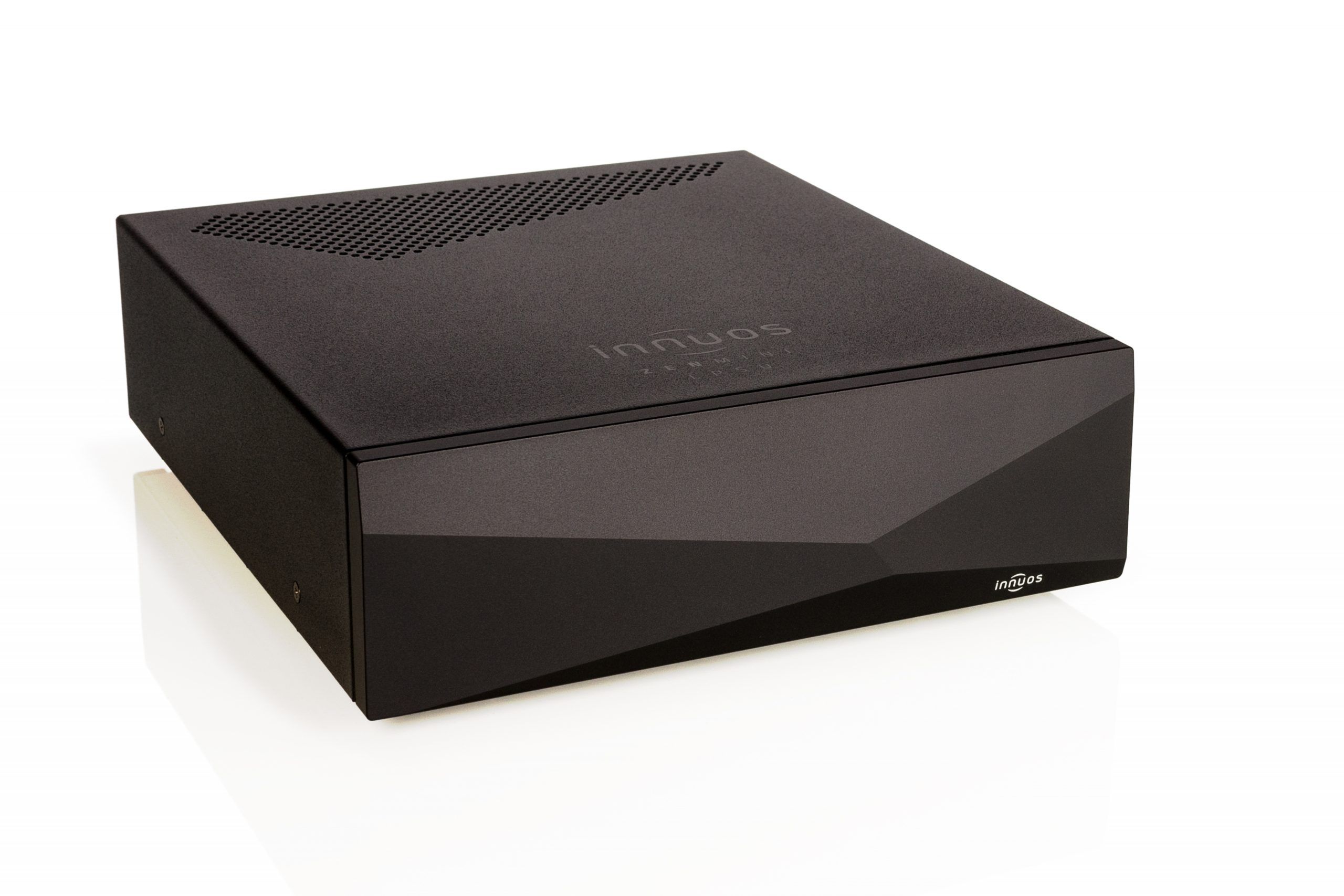
Innuos ZENmini LPSU is an optional linear power supply for the Innuos ZENmini. It adds a separate power component to your ZENmini and is also compatible with the ZENmini MkII. Its housing is designed to match the ZENmini. As a power supply accessory, it does not replace a music player or power amplifier.
Innuos ZENmini LPSU is an optional linear power supply for the Innuos ZENmini. It is intended for someone who wants to add a separate power supply to a ZENmini they already own. It is also compatible with the ZENmini MkII.
Its place in your audio system
The LPSU is an optional accessory for an existing ZENmini. It is not a standalone music player or a power amplifier. The distinction matters when planning an upgrade: your ZENmini remains the music source in your system, while the LPSU supplies power to it. If you do not yet own a ZENmini, the LPSU alone cannot play music. It is a choice for someone who wants to add a separate power component to a ZENmini already in use without replacing the player itself.
Housing
The power supply has a housing designed to match the ZENmini. Even so, allow space for the LPSU as a separate component when planning your equipment layout. Its colour and dimensions are not specified here. Before assigning it a shelf, measure the space available and check the dimensions of the particular unit offered. The matching housing helps you plan the two components as parts of one system, but this description does not establish whether their finishes are identical.
What to check before connecting it
Before buying, compare the version name on your ZENmini with the compatibility stated here. The ZENmini MkII is specifically named; compatibility with other ZENmini versions is not specified. If you are unsure which version you own, check the marking on the unit itself and confirm compatibility before ordering. Also check which power cables or other accessories are included with the particular unit you are considering, as no contents list is provided here. This will help you prepare for installation without assuming that a cable you need is necessarily supplied.
Connection and first use
The LPSU is intended to power the ZENmini. It is not an audio signal connection to an amplifier, television or speakers. Switch off the equipment before connecting it, then follow the power connection markings and instructions supplied with the units you own. This description does not state the connector type, voltage or included cables, so do not determine any of those details from a photograph or a similar model. If a connector marking or supplied cable does not match your ZENmini, leave the units disconnected until you have checked compatibility. Choose audio signal cables separately according to the connections on your ZENmini and the rest of your system.
Controls and setup
No information is provided here about switches, adjustments or selectable operating modes on the LPSU. During setup, there is therefore no audio setting identified in this description that you need to change because you have added it. If your particular unit has controls or indicators, consult its instructions to learn what they do and how to use them. Before switching on the system, make sure you have selected the correct power connection for your ZENmini and that both units are positioned securely. Once connected, continue using the ZENmini as your usual music source; the LPSU does not add another set of player controls.
Where to place it
Give both components a firm position where you can reach their connections and route the cables neatly. Do not choose their positions on appearance alone. First check that the shelf has enough room for the LPSU, the ZENmini and the cables leaving each unit. Avoid pulling cables tight or pushing the components against a wall simply to make a connection reach. If you intend to stack the units or place them in an enclosed cabinet, check the placement requirements in their instructions first. No dimensions or layout guidance are given here that would confirm the suitability of either arrangement in advance.
In a stereo or home cinema system
For a stereo system, consider the LPSU if you already use a compatible ZENmini as a music source. Your choice of amplifier and speakers does not change the LPSU’s role: it supplies power to the ZENmini and does not amplify an audio signal. The same principle applies in a home cinema system. If the ZENmini is one of your sources, the LPSU belongs with that unit, rather than with the television, AV receiver or other equipment. Check the ZENmini version and its power connection, while planning the audio signal path around the system you already have.
Systems with several devices
If you use several music sources or own more than one ZENmini, decide which specific unit you want to equip with an LPSU. This accessory is described as a power supply upgrade for a ZENmini; there is no information here saying that one LPSU can power several devices. Assess the compatibility of each proposed connection separately. This also keeps the purpose of the purchase clear: the LPSU does not take the place of another music source, an amplifier or audio connections. If your system includes different ZENmini versions, do not assume that the stated compatibility with the ZENmini MkII applies to all of them.
Technical specifications
| Type | Optional linear power supply |
|---|---|
| Purpose | Power supply upgrade for the Innuos ZENmini |
| Compatibility | Also compatible with the ZENmini MkII |
| Housing | Designed to match the ZENmini housing |
FAQ
Is this a required part of the ZENmini?
No. It is an optional power supply upgrade.
Which ZENmini can I use the LPSU with?
It is intended for the Innuos ZENmini and, according to the information provided by the store, is compatible with the ZENmini MkII. If you own another version, check its compatibility before buying; compatibility with that version is not specified here.
Can the LPSU work as a music player?
No. It supplies power to a ZENmini, so you still need the ZENmini itself to play music.
How do I choose the correct connection cable?
Follow the connector markings and instructions for your ZENmini and LPSU. This description does not specify the connector type or which cables are included.
Can I plan to put it in an enclosed cabinet?
Check the dimensions of the particular unit and the placement requirements for both components. A matching housing alone does not establish whether your cabinet is suitable.
Is one LPSU intended for several ZENmini units?
That use is not specified. If you have several units, check the power supply arrangement and compatibility for each one separately.