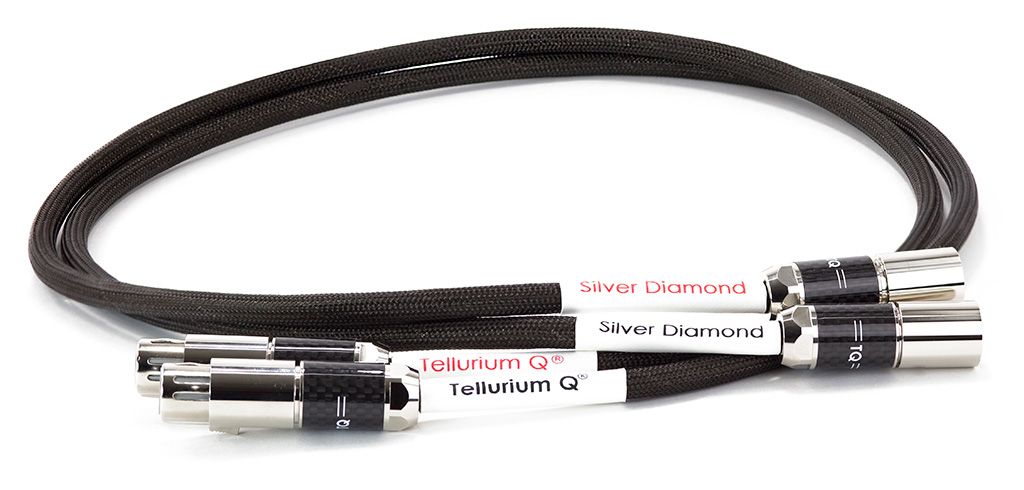
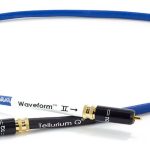
Tellurium Q SD-XLR XLR Cable
2 665,00 €
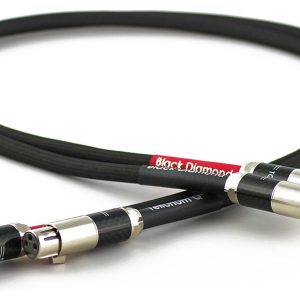
Tellurium Q SD-XLR is an XLR cable for connecting audio equipment with XLR sockets. The model is also known as Silver Diamond XLR. When choosing it, check the devices’ sockets, the cable-end types, and the length you need. If the stereo channels are connected separately, each needs its own cable.
Tellurium Q SD-XLR, also known as Silver Diamond XLR, is an XLR cable for connecting the XLR sockets of audio equipment. Choose it when the signal path you are planning uses XLR connections. Before selecting a cable, identify the two devices you want to connect and the specific sockets the signal will travel between. That gives you a clearer starting point than choosing by the names of the devices alone.
The cable itself has no adjustable controls. You select the input and set the audio level on the connected equipment. It helps to note the role of each component in advance: which device sends the signal, which receives it, and how many separate signal paths your system will need. From there, you can work out the number of cables required for the connections you intend to make.
Connecting your equipment
The XLR designation distinguishes this cable from an RCA cable or a speaker cable. If one end of your planned signal path has only an RCA socket, an XLR cable alone will not make that connection. Check the sockets on both devices as well as the ends of the cable you are considering. The label “XLR” by itself does not tell you which cable-end types you need for those particular sockets.
When setting up the system, first locate the output on the device sending the signal and the input on the device receiving it. Once the cable is connected, select the corresponding input on the receiving device. If a device has a level control, begin at a low level and increase it gradually. Some equipment has several XLR sockets; if their roles are unclear, check the device’s instructions before connecting the cable.
For a stereo connection, consider the left and right channels separately. If each channel uses its own XLR connection, each needs its own cable. Count the paths you are actually connecting rather than assuming that one cable covers the whole stereo system. The same approach helps in a home cinema system: establish the specific output and input that should be linked between components, then check the channel labels so each cable follows the intended path.
In a system with several devices, make a simple note for every planned connection: the signal source, the destination device, and the channel. This lets you count the cables needed for each pair of sockets instead of relying on the total number of components. It also makes it easier to distinguish one connection from another when several XLR sockets are close together.
Choosing the length and planning the space
Measure the route the cable will take between the actual sockets, not just the straight-line distance between the devices. Include any distance behind a shelf or cabinet and any movement between shelves. Allow enough slack that the cable does not pull on the sockets when you need to move a component. As you plan the route, avoid sharp bends at the plugs and places where a furniture edge would press against the cable.
Before arranging the equipment in its final position, check the space available behind it. You should be able to reach the sockets to connect the cable, particularly if the cabinet sits close to a wall. Check the gap between each XLR socket and the wall or back of the cabinet: the connected plug must fit there, with room for the cable to turn in the direction you have planned.
If the cable needs to pass through openings in furniture, include those openings in your route measurement. Consider whether you can guide the cable through them and reach the intended socket comfortably. Planning the full route before choosing a length helps you leave useful slack without overlooking the space needed behind the equipment.
Technical specifications
| Model | Tellurium Q SD-XLR, Silver Diamond XLR |
|---|---|
| Product type | XLR audio cable |
FAQ
What is this cable for?
It is for connecting XLR sockets on audio equipment. Start by identifying the particular output and input that need to be linked, then check that the cable ends suit those sockets.
Is one cable enough for a stereo system?
If the left and right channels use separate XLR connections, each channel needs a separate cable. The number you need depends on the connections you have chosen for your system.
Can I connect it to an RCA socket?
An XLR cable is not a direct replacement for an RCA connection. If a device has an RCA socket, that socket needs a suitable connection solution.
How do I choose the right length?
Measure the planned route all the way to the sockets, including the path around or behind furniture. Leave enough slack to move the devices when needed; the cable should not be stretched tightly between them.
What should I check when connecting the devices?
Compare the XLR sockets on both devices with the ends of the cable you plan to use. Identify which socket is the signal output and which is the input. If there are several XLR sockets on a device, consult its instructions to confirm their roles.
Will there be enough room for the connection behind my cabinet?
Before buying, check the gap from the device’s XLR socket to the wall or the back of the cabinet. There needs to be space for the connected plug and for the cable to turn toward its planned route.