Pioneer MVH-AV190 Car Multimedia Receiver
226,00 €
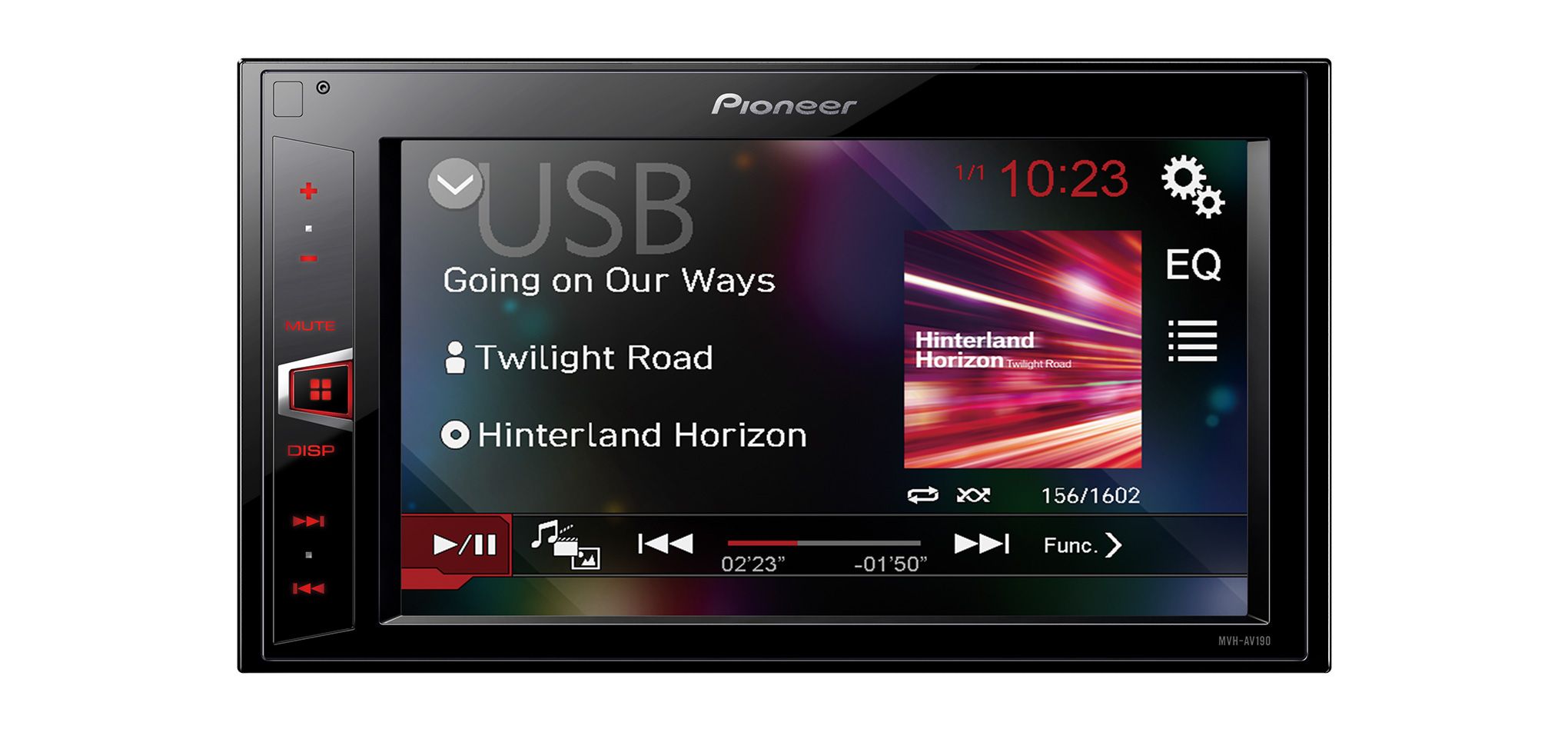
Pioneer MVH-AV190 is a 2-DIN car multimedia receiver for controlling music, video and radio. Its 6.2-inch WVGA touchscreen provides direct access to the main functions. The rear USB connection supports MP3, WMA, WAV, AAC and the specified video formats. Two RCA pre-outs allow the system to be expanded with an external amplifier or subwoofer.
Pioneer MVH-AV190 is a 2-DIN car multimedia receiver for music, video and radio. It features a 6.2-inch WVGA touchscreen, a rear USB connection and an RDS FM/AM tuner. This model is intended for vehicles with a suitable 2-DIN installation space.
Controls and display
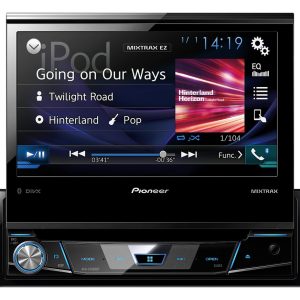
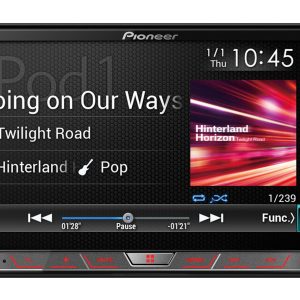
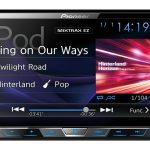
The 6.2-inch WVGA touchscreen provides touch control of the main functions. Clear Type technology is designed to give the menus and displayed content a clear appearance. The screen has a 16:9 aspect ratio, while selectable widescreen modes help adapt the picture to different recordings.
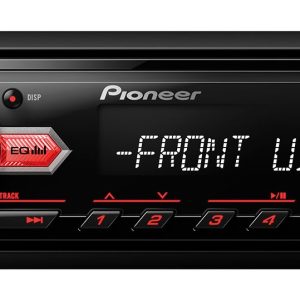
The buttons have red illumination, making their positions easier to see in a darker vehicle interior. This illumination colour is a fixed product feature. Before choosing the receiver, it is worth considering how the red lighting will match the illumination of the vehicle’s dashboard.
Music, video and photos from USB
The rear USB input keeps the connected cable behind the dashboard. The supplied USB extension cable allows the connection to be routed to a more convenient position inside the vehicle. The exact cable exit point can be selected when the receiver is installed.
The USB connection supports MP3, WMA, WAV and AAC audio files. Supported video formats are DivX, Xvid, MPEG-1, MPEG-2 and MPEG-4. JPEG and BMP images can also be viewed on the screen. Support for other codecs, storage formats or devices is not specified.
Radio and sound adjustment
The RDS FM/AM tuner provides 24 station presets. This allows frequently used stations to be selected without searching for their frequencies again. The RDS function displays information transmitted by compatible FM stations.
The five-band graphic equaliser lets you adjust separate frequency ranges to suit the acoustics of the vehicle. A neutral setting is a sensible starting point. Further adjustments are best made while listening from the normal driving position, avoiding excessive boosting across several bands.
The source level adjuster helps balance the volume of different sources. It can be set so that switching between the radio and USB does not require a major change to the main volume setting. A high-pass filter can restrict lower-frequency output to selected channels in the system.
Connecting the audio system
The stated MOSFET power specification is 50 W × 4. This is a maximum power rating and should not be interpreted as continuous RMS output. The four channels are intended to drive a conventional car speaker system.
Two RCA pre-outs can be used for the front channels, rear channels or a subwoofer. These outputs are used when connecting an external amplifier. The most appropriate configuration depends on which part of the audio system is to be amplified separately.
The rear AUX input is intended for an additional analogue source. An RCA or mini-jack AV input is provided for a video signal. The connector type and required cable must be matched to the output of the source being connected. A video output on the rear of the receiver can send a video signal to another compatible display.
Rear-view camera and vehicle controls
The rear-view camera input allows a separately purchased camera to be connected. The display supports switching to the camera picture. The Pioneer ND-BC8 is listed as an optional rear-view camera and is not included with the receiver.
A wired remote-control input is provided for additional control integration. Multifunction display support is also included. The required connections, interfaces and compatible vehicle models are not defined, so these features should not be treated as a direct plug-in solution for every vehicle.
Installation in the vehicle
The 2-DIN chassis occupies a double-height dashboard space. Before installation, check the size of the opening, the required fascia and the vehicle wiring. The ISO connector simplifies connection where the vehicle uses the corresponding connector system.
The USB, AUX and other main connections for additional sources are located at the rear. Their cable routes should therefore be planned before the receiver is fitted permanently into the dashboard. This arrangement keeps permanently connected cables out of sight and leaves the front panel uncluttered.
Technical specifications
| Model | Pioneer MVH-AV190 |
|---|---|
| Product type | Car multimedia receiver |
| Installation size | 2-DIN |
| Display | 6.2-inch WVGA Clear Type touchscreen |
| Screen aspect ratio | 16:9 |
| Picture modes | Selectable widescreen modes |
| Button illumination | Red |
| Power specification | MOSFET 50 W × 4 |
| Radio tuner | RDS FM/AM |
| Station presets | 24 |
| USB input | Rear |
| USB audio formats | MP3, WMA, WAV, AAC |
| USB video formats | DivX, Xvid, MPEG-1, MPEG-2, MPEG-4 |
| USB image formats | JPEG, BMP |
| AUX input | Rear |
| Video input | RCA or mini-jack AV |
| Rear-view camera input | Yes |
| Camera picture switching | Yes |
| Video output | Rear |
| Vehicle connector | ISO |
| Wired remote-control input | Yes |
| Multifunction display support | Yes |
| Sound adjustment | Five-band graphic equaliser |
| Filter | High-pass filter |
| Source adjustment | Source level adjuster |
| RCA pre-outs | 2, for front channels, rear channels or subwoofer |
| Included accessory | One USB extension cable |
| Optional accessory | Pioneer ND-BC8 rear-view camera |
FAQ
Will this receiver fit my vehicle?
Check whether the vehicle has a suitable 2-DIN opening, a compatible fascia and the correct wiring. Additional adapters may also be required during installation.
Does the unit play CDs or DVDs?
Disc playback is not specified. Music, video and photos are played through the rear USB connection using the listed file formats.
Is a rear-view camera included?
No. The ND-BC8 camera is an optional accessory. The receiver provides a camera input and supports switching to the camera picture.
How do I connect an external amplifier?
Use the two RCA pre-outs. They can be assigned to the front channels, rear channels or a subwoofer according to the system being installed.
Where can the USB connection be positioned?
The USB input is on the rear of the receiver. An installer can route the included extension cable to a convenient, easily accessible position inside the vehicle.
Will the vehicle’s multifunction display and remote controls work?
The receiver provides the corresponding display support and a wired control input. An additional interface or adapter may be required for a particular vehicle.
What should be planned before installation?
Before fitting the receiver, plan the routes of the rear USB and AUX cables and choose convenient, easily accessible exit points for them inside the vehicle.