
Hasselblad X1D II Camera Strap
60,00 €
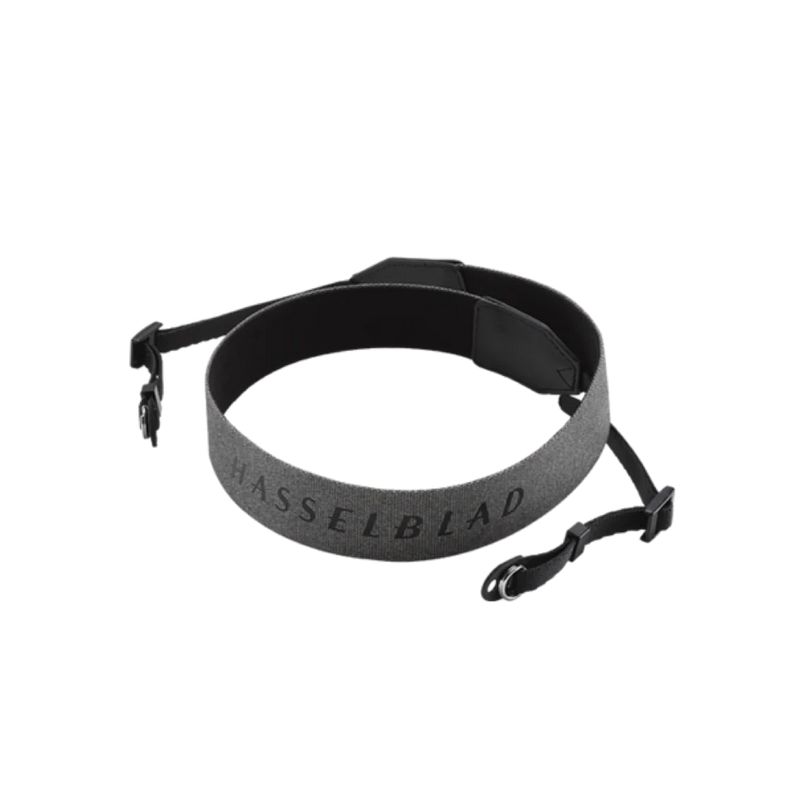
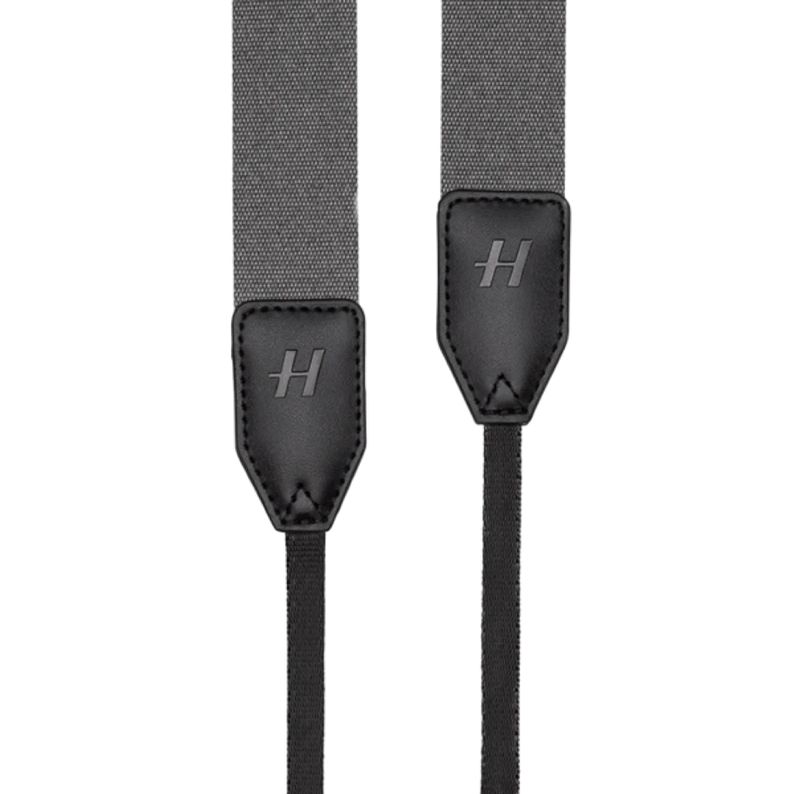
Hasselblad X1D II Strap is a camera strap intended for Hasselblad X1D II users. It measures 69.5 cm, or 27.3 inches, in length. Its adjustable ends allow the camera’s carrying height to be adapted to the photographer’s height and usual carrying position. The clearly identified model helps buyers choose an accessory for this specific camera.
Hasselblad X1D II Strap is a camera strap designed for the Hasselblad X1D II. Its adjustable ends allow you to choose a suitable carrying position for the camera.
Purpose and Compatibility
This accessory is intended for photographers looking for a strap specified for this particular camera model. The available product information confirms that it is intended for the X1D II, but it does not confirm compatibility with other Hasselblad models.
The strap should not be selected on the basis of the brand name or outward similarity alone. If you plan to use it with another camera, first check the attachment system and requirements specified by the manufacturer of that model. This avoids assuming that all cameras from the same brand use identical strap attachments.
How to Assess the Strap Length
The stated length is 69.5 cm, or 27.3 inches. Before making your choice, measure the strap you currently use and compare it with the stated dimension. Also consider where you normally carry your camera and whether its current position is comfortable and practical for you.
Consistency matters when comparing lengths. Use the same measurement method for both straps and make a note of the current adjustment of your existing strap. A product photograph alone cannot reliably show how a strap of a particular length will look in use or where the camera will rest on your body.
Preparing the Strap for Use
Attach the strap only to the points provided for this purpose on the camera, and follow the X1D II operating instructions. The available product information does not specify the exact attachment method, so it should not be inferred from other straps or from cameras of different models.
Support the camera body during installation so that its weight is not placed on an attachment that has not yet been checked. After securing one side, continue holding the body until the other side has also been attached and inspected. Make sure that the strap is not twisted, pinched, or accidentally routed in a way that could interfere with camera operation.
Carry out the initial check over a soft, stable surface. While holding the camera body securely in your hands, apply gentle tension to each end separately and confirm that the attachment remains in place. Only after completing this test should you gradually allow the strap to take the camera’s weight.
Adjusting the Ends
Begin with both ends set to similar positions. Make adjustments in small increments, placing the camera in your usual carrying position after every change. If the body tilts to one side, adjust the corresponding end slightly and check the position again.
Set the strap so that the camera controls remain easy to reach and the body does not restrict your movement. Check the position while standing, walking a few steps, and raising the camera to take a photograph. The setting should allow you to perform these actions without pulling the strap to the limit or having to readjust it every time.
Make the final adjustment with the photographic equipment you actually intend to use with the camera. This is a practical test of the carrying position, not confirmation of any additional load-bearing capacity. The source information does not state a load limit.
Position While Taking Photographs
If you normally raise the camera to your eye, check whether the strap provides enough freedom of movement to reach the viewfinder comfortably. If you use the screen more often, make sure the selected position lets you see the display and reach the necessary controls.
The strap should not cross the control areas or obstruct your hand when gripping the body. Turn the camera into the positions you use for both portrait and landscape photography, then confirm that the strap does not become tensioned in an unexpected direction in either orientation.
If you change the adjustment, do not treat the previous attachment check as sufficient. Inspect both secured ends again over a safe surface, as adjusting the strap may have changed the position of its free sections.
Checks Before Use
Before taking photographs, inspect the entire visible section of the strap and both attachment points. Do not use the strap if you notice damage, a loose attachment, or any other change that causes concern. Remove the camera’s weight from the strap and determine the cause before using it again.
Repeating this inspection is particularly important after an adjustment, transportation, or a long period without use. When removing the camera from a case or bag, lift it by the body rather than by the strap alone until you have confirmed that both ends are still attached correctly.
Information Not Provided in the Product Details
The available information does not specify the strap’s material, color, exact adjustment range, attachment mechanism, or any included accessories. These characteristics should not be inferred from the product name or from general features associated with other Hasselblad accessories.
If any of these details will affect your purchasing decision, they should be confirmed separately before ordering. It is also important to note that the product information supplied by the store has not been independently verified using an external source.
Technical Specifications
| Model | Hasselblad X1D II Strap |
|---|---|
| Product type | Camera strap |
| Intended for | Hasselblad X1D II camera |
| Adjustment | Adjustable ends |
| Length | 69.5 cm |
| Length in inches | 27.3 inches |
FAQ
Is compatibility with other Hasselblad models confirmed?
No. The available information confirms only that the strap is intended for the Hasselblad X1D II. Compatibility must be checked separately if you plan to use it with another model.
How can I keep the camera level?
Adjust both ends in similar increments. After each change, hold the camera body in its usual position. If it tilts, make a small adjustment to one end and check the balance again.
How can I determine whether the stated length will suit me?
Compare it with your current strap using the same measurement method. This provides a more reliable indication of the likely camera position than assessing the product photograph alone.
When should I choose the final adjustment?
Choose the final setting after attaching the strap and preparing the photographic equipment you normally use. Test access to the controls, freedom of movement, and your ability to raise the camera into a shooting position.
How can I check the attachment safely?
Perform the first test over a soft, stable surface. Hold the camera body while checking each end separately, and only then transfer the camera’s weight to the strap gradually.
Are the strap’s material and color known?
No. The available product information does not state the material or color, so neither should be inferred from the name or from other products made by the same brand.
Is a specific attachment method stated?
No. The attachment mechanism is not described in the available information. Secure the strap only to the designated points on the camera and follow the X1D II operating instructions.
Related products