Oehlbach MP3! Stereo Line Cable
50,00 €
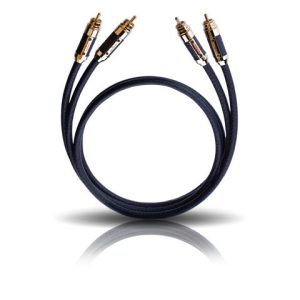
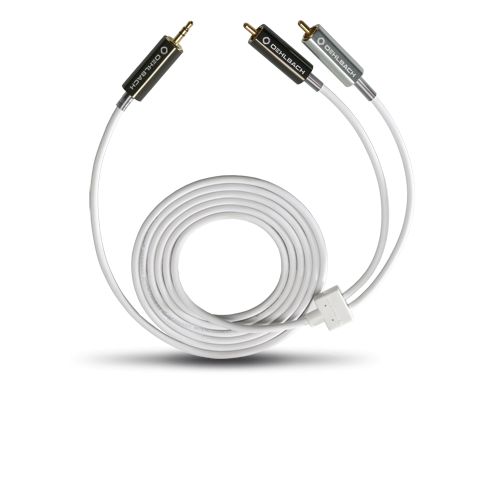
Oehlbach MP3! is an analog stereo line cable for connecting a portable media player to a hi-fi system. Its 3.5 mm plug connects to the player, while two RCA plugs connect to a stereo input pair. The flexible 2 m cable gives you room to position the devices. It has silver-plated oxygen-free copper conductors and shielding made from aluminium foil and copper braid.
Oehlbach MP3! Stereo Line Cable is a 2 m analog stereo cable for connecting a portable media player to a hi-fi system. This MP3 200 variant has one 3.5 mm plug and two RCA plugs. It is suitable when the player has an analog 3.5 mm output and the audio system has a pair of analog RCA inputs.
Connecting your player
Connect the 3.5 mm plug to the player and the two RCA plugs to a stereo input on your audio system. The RCA pair carries the left and right channel signals. Before connecting the cable, identify an input intended for an analog audio source. If the player’s output has adjustable volume, start at a low level and raise it gradually.
This cable carries an analog stereo signal. It does not convert a digital signal to analog or connect devices that lack the required sockets. The two RCA plugs belong in one stereo input pair. Choose that pair before routing the cable so you know which input to select on the amplifier later.
Setting up the connection for the first time
Turn down the volume on both the player and the audio system before starting playback. Once the cable is connected, use the audio system’s input selector to choose the RCA pair you used. If its inputs have different source names, follow the label beside that pair. A PHONO input is intended for a turntable signal, so choose another analog stereo input for the player’s line signal.
Play a familiar recording and increase the volume gradually. If you hear only one channel, check that both RCA plugs are seated in the left and right sockets of the same input pair. If there is no sound, first check the selected input and the player’s volume setting. These checks can help you identify a connection or setting error before reconsidering the cable’s placement.
Length and placement
The cable’s length lets you place the player away from the hi-fi system, but it is worth planning the route first. Measure between the actual sockets and allow for a path around shelves. That way, the cable does not have to stretch in a straight line between the devices.
The cable is round and flexible, and all its plugs are straight. Straight plugs need room behind the equipment, particularly when the RCA sockets face a wall. Leave space for the plugs and a gentle bend in the cable before pushing an amplifier close to the wall.
Place the player where it is easy to operate and does not hang from its 3.5 mm plug. Route the cable so moving the player will not pull on the amplifier’s RCA sockets. If the cable runs behind furniture, leave a loose turn near each connection and avoid places where a furniture edge could trap it. Arrange any section that crosses the floor so it will not become a trip hazard.
Plug and cable construction
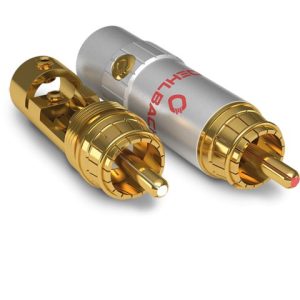
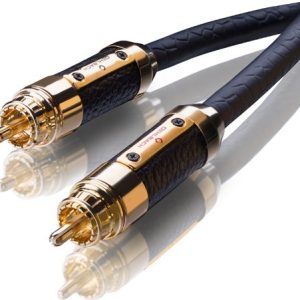
The plug housings are metal and have a screw-type construction. Their contact surfaces are plated with 24-carat gold. When considering the construction, it helps to distinguish the housing from the contact: the metal housing is the outside of the plug, while the plated surface touches the equipment’s socket.
The internal conductors are made from silver-plated oxygen-free copper, and the outer jacket is plastic. These materials describe this cable’s construction. For a working connection, the essential step is still to use the correct analog output and a matching pair of stereo inputs.
Shielding
The cable has double shielding: one layer of aluminium foil and one layer of copper braid. Both layers surround the internal conductors.
Where to use it
In a stereo system, look for an available pair of analog RCA inputs on the amplifier or another device to which you normally connect audio sources. For active speakers, check their sockets: this cable is suitable only if they have a stereo pair of analog RCA inputs. A single RCA socket or a digital input is not such a pair. Also check that the player’s 3.5 mm socket is an analog audio output.
With a home cinema receiver, connect the cable to an analog stereo input and select that source using the receiver’s controls. The cable carries the player’s left and right channels. If you use several audio sources, allow a separate input for each or use a source switch. If you want to use the same player with several audio systems, decide which system to connect the cable to or choose a suitable switching solution. This cable’s RCA pair connects to one selected input pair at a time.
Technical specifications
| Variant | MP3 200 |
|---|---|
| Product code | 90562 |
| Type | Analog stereo line cable |
| Purpose | Connecting a portable media player to a hi-fi system |
| Length | 2.00 m |
| Colour | White |
| Connectors | One 3.5 mm plug and two RCA plugs |
| Plug housings | Metal, screw-type construction |
| Contacts | 24-carat gold plated |
| Internal conductors | Silver-plated oxygen-free copper (SPC/OFC) |
| Jacket | Plastic |
| Shielding | Double: aluminium foil and copper braid |
| Flexibility | Very flexible cable |
| Cable shape | Round |
| Plug shape | Straight |
FAQ
What connections does my equipment need?
The player needs an analog 3.5 mm output, and the hi-fi system needs left and right RCA inputs. The presence of RCA sockets alone is not enough: choose a pair of audio inputs.
Can I connect this cable to a stereo amplifier?
Yes, if the amplifier has an analog stereo RCA input. Connect both RCA plugs, then select the input you used on the amplifier.
Is it suitable for a home cinema receiver?
You can use it with a pair of analog stereo RCA inputs on a home cinema receiver. The cable carries two audio channels; it does not connect separate surround channels through one cable.
Can one cable connect several players?
It connects one 3.5 mm output to one stereo RCA input pair. To choose between several players, you will need separate inputs or switching equipment.
What if the RCA sockets face the wall?
Insert the straight RCA plugs before positioning the equipment, then check that there is room behind it for the plugs and a loose bend in the cable. If the plugs touch the wall, move the equipment farther away.
Does the cable work with a digital audio output?
No, if that is the player’s only output. This cable is intended to carry an analog signal from a 3.5 mm output to analog RCA inputs.
How should I set the volume after connecting it?
If the volume of the player’s 3.5 mm output is adjustable, start at a low level. Then gradually set a comfortable volume on the player and the audio system.
Related products and categories
Related products