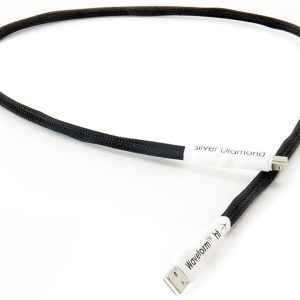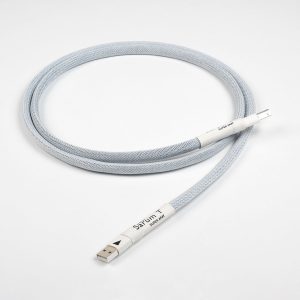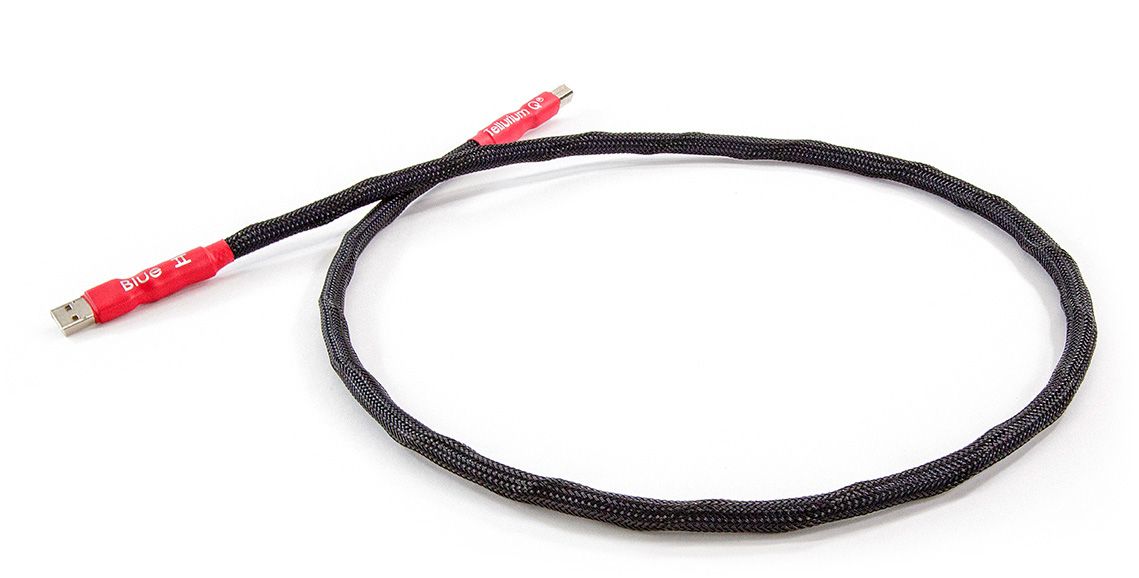
Tellurium Q BU-USB USB Cable
216,00 €
Tellurium Q BU-USB is a USB cable for audio system components connected by USB. Compare the sockets on both devices with the cable’s plugs, and choose a length that reaches between them. This cable is for a USB connection; it does not replace a speaker cable or an analogue audio cable.
Tellurium Q BU-USB USB cable is intended for audio system components that connect to each other by USB. This model is also known as Blue II USB. It is an updated version of an earlier cable. When choosing it for your system, start with the connections on the equipment you want to link: the cable must suit both devices and reach between them in their intended positions.
How to choose the connectors
Look at the shape of the USB socket on each device before selecting a cable. A socket marked USB does not, by itself, tell you which plug it takes. Different USB plug types cannot be fitted into the same socket, so check both ends of the connection separately. Measure from one socket to the other as well. The cable should reach them without being pulled tight.
Confirm which plug is needed at each end rather than relying on the BU-USB name. The plug types and length of this particular cable are not specified here. If your devices sit on different shelves, measure along the route the cable will actually follow, including the space needed to reach the sockets. A straight-line measurement between the cases may be too short for that route. Before buying, compare the details of your chosen variant with the sockets on both devices. This check is especially useful when the sockets are at the back of equipment or the cable needs to pass around furniture.
Connection and settings
Before connecting the cable, consult the instructions for both devices to confirm that a USB connection is intended between those particular components. Insert plugs that match the sockets, without forcing them. If the audio device offers a choice of inputs, select the USB input to which you connected the source. If the source requires you to choose an audio output, select the connected USB device as directed in its instructions.
These choices are made on the devices themselves. Their menus, available settings and connection options depend on the equipment in your system. If you are planning a connection between two components, check each device’s instructions for its role in that connection before arranging the cable. Matching sockets are one part of the selection; the equipment must also support the USB connection you intend to use.
Placement in the room
When planning where to place your equipment, leave access to both USB sockets. You should be able to insert and remove the plugs without having to move the whole system. Route the cable so that it is not under tension, bent sharply at a plug or trapped beneath furniture. Consider the cable’s path while positioning shelves and components, particularly if a socket faces a wall or another piece of equipment.
If you expect to rearrange the devices, allow room for that movement and check the required length again. A length that works for one layout may not reach comfortably after the equipment is moved. Keep the cable’s route away from places where someone could catch a foot on it. These placement checks help you choose a usable length and avoid strain at the connections.
Using the cable in an audio system
A USB cable links the components in a system for which a USB connection is intended. It does not replace a speaker cable or an analogue audio cable. In a stereo or home cinema system, where this cable belongs depends on the connections provided by the specific devices and on how you have chosen to connect them.
For a stereo system, first identify which device is intended to send audio over USB and which is intended to receive it. For a home cinema system, check that the USB connection you have in mind is part of the audio path between the particular components you want to link. The presence of a USB socket for another purpose does not automatically mean that it can carry audio from your chosen source.
If your system has several components, make a note of their socket types and the pairs of devices you intend to connect. This makes it easier to select a suitable cable for each connection and to keep track of where each one goes. Check the planned pair against the devices’ instructions, then compare their sockets with the plugs and length listed for the variant you are considering.
Technical specifications
| Manufacturer | Tellurium Q |
|---|---|
| Model | BU-USB |
| Name | Blue II USB |
| Type | USB cable |
FAQ
Is this cable intended for connecting speakers?
No. It is intended for a USB connection. To connect speakers, use the connections and cables specified for the speaker equipment.
Can I use it between a computer and an audio device?
Yes, if those devices are intended to connect by USB and the plugs on the cable variant you choose fit their sockets. Check the devices’ instructions as well as the connector types.
Will it fit a USB-C socket?
That depends on the cable’s plug type. Before choosing a variant, compare its plugs with the sockets on both devices. The plug types of this particular cable are not stated here.
How should I choose the cable length?
Measure the route between the devices’ sockets, following the path the cable will take. Leave enough slack that the plugs are not pulled and you can position the devices comfortably.
Do matching USB plugs guarantee that the devices will work together?
No. The plugs need to fit the sockets, but you should also check the devices’ instructions to confirm that they support the USB connection you intend to make.