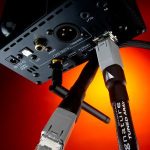
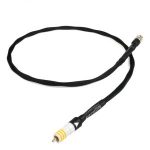
Chord Signature Tuned Digital Super ARAY Streaming Network Cable
880,00 €
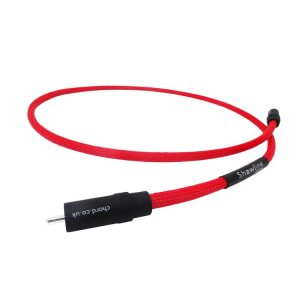
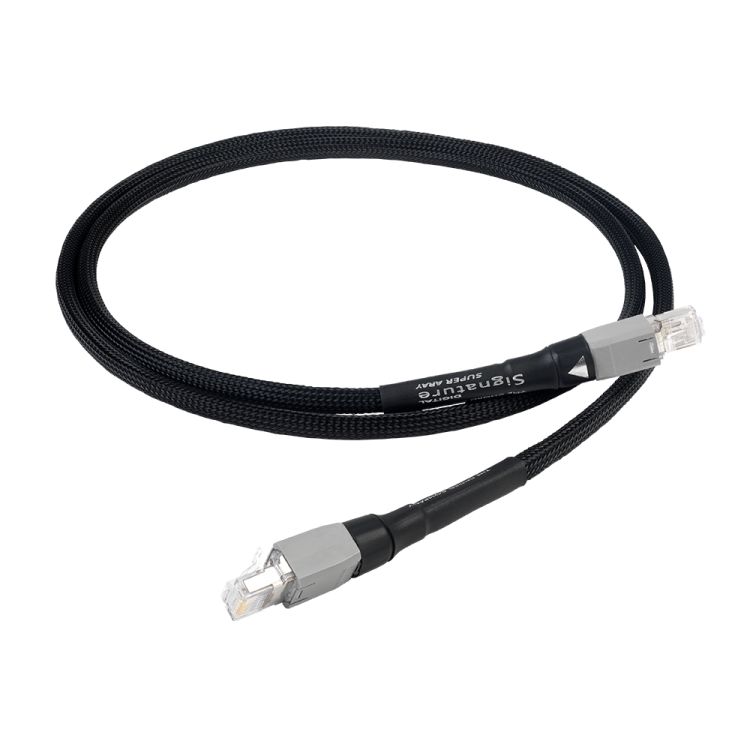
Chord Signature Tuned Digital Super ARAY Streaming is a 1 m network cable for connecting a streaming music player through an RJ45 socket. Its conductors are soldered to connectors with gold-plated contacts. The cable uses silver-plated conductors, hard skin insulation and a Super ARAY conductor arrangement. Choose the length according to the route between the two devices’ sockets so the cable does not need to be pulled taut.
Chord Signature Tuned Digital Super ARAY Streaming is a 1 m network cable for music streaming. It is intended for the network connection to a streaming music player. Both ends have RJ45 connectors with gold-plated contacts, and the conductors are soldered to the connectors. When choosing this cable, first check the distance between the devices you want to connect and make sure both have suitable network sockets.
Construction
This model was developed from the Epic Streaming cable. Both use RJ45 connectors with gold-plated contacts, soldered conductors and hard skin insulation. The Signature version has thicker silver-plated conductors, revised spacing between the conductors and shielding. Its Super ARAY conductor arrangement was designed for music streaming cables. This describes the cable’s internal construction; it does not change the RJ45 connectors used at either end.
Connections and position in the system
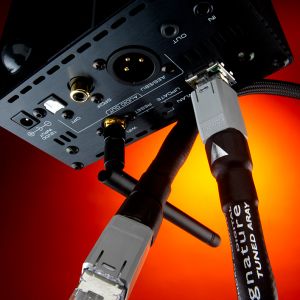
The cable plugs into RJ45 network sockets. In a streaming player system, it can form the connection between network equipment and the player. For example, if a router or network switch sits near the player, check whether one metre is enough to reach between the particular sockets you plan to use. Measure the connection you are making, rather than the overall distance from your internet entry point to your listening position.
Before choosing the length, consider the route the cable will actually take. The sockets on a player and on network equipment may be at the back of their cases, so the space between the cases is not the full distance required. Allow for the route behind a shelf or cabinet and leave enough room to lay the cable without pulling it taut. If that route needs more than one metre, this length will not reach the intended connection.
This is a network cable, so it does not plug into a USB or optical audio socket. If a player has no RJ45 network socket, the cable alone will not give it a wired network connection. Check the socket on the network equipment too: both ends of the cable need RJ45 sockets, rather than audio inputs or outputs.
Setup and device settings
There are no controls on the cable to configure. Before connecting it, locate the streaming player’s network socket and the RJ45 socket you intend to use on the network equipment. Once both ends are connected, check the player’s network menu to see whether it is using the wired connection. The menu options depend on the player. If your player offers several ways to connect, follow its instructions when selecting one. The cable’s Super ARAY arrangement has no separate setting.
Positioning in the room
When planning where to place your equipment, start with the positions of the two RJ45 sockets. If the player is on a shelf and the network equipment is at the other end of the room, a 1 m cable may be too short, even if the devices appear fairly close together. Keep the connectors accessible so you can unplug the cable when needed. If you run it behind furniture, avoid tension at the connectors and do not trap it against a sharp furniture edge.
Stereo, home cinema and multiple-player systems
In a stereo system, you can use this cable for a wired network connection to a streaming player that has an RJ45 socket. The same selection principle applies in a home cinema system: what matters is the network socket on the device receiving the streamed music, rather than the type of audio sockets on the amplifier. If you use several streaming players at home, assess the planned wired connection for each one separately. A single cable connects one selected pair of devices.
A longer network route
If the network route includes more devices, choose this cable for one specific RJ45 connection, such as the link from network equipment beside the player to the player itself. Check the required length and connector types separately for the other parts of the route.
Technical specifications
| Type | Network cable for music streaming |
|---|---|
| Length | 1 m |
| Connectors | RJ45 with gold-plated contacts |
| Conductor termination | Soldered to the connectors |
| Conductors | Silver-plated |
| Insulation | Hard skin |
| Conductor arrangement | Super ARAY |
| Shielding | Yes |
FAQ
Where in my system should I connect this cable?
Use it between the RJ45 network sockets of two devices. In a music streaming system, one socket may be on the streaming player and the other on nearby network equipment. Choose a pair of sockets that the 1 m cable can reach along its intended route.
Does Super ARAY change how the cable connects?
No. Super ARAY describes the arrangement of the conductors inside the cable. It still connects through RJ45 plugs, so check your devices’ sockets and the distance between them before buying.
Can I use it in a stereo or home cinema system?
Yes, if the streaming player in that system connects to the network through an RJ45 socket. The cable connects network devices; it does not plug into an amplifier’s audio inputs.
Will one cable be enough for several streaming players?
One cable connects one selected pair of devices. If several players have separate wired network connections, check the sockets and required cable length for each connection individually.
What if my player has only a USB or optical socket?
This RJ45 cable will not fit those sockets. It is intended for a wired network connection, so check the player’s socket type before choosing a cable.
Do I need to configure the cable itself?
No. After connecting both RJ45 ends, check the wired network selection and connection status in the streaming player’s settings. The steps depend on the player you use.