Pioneer MVH-290DAB Car Stereo
122,00 €
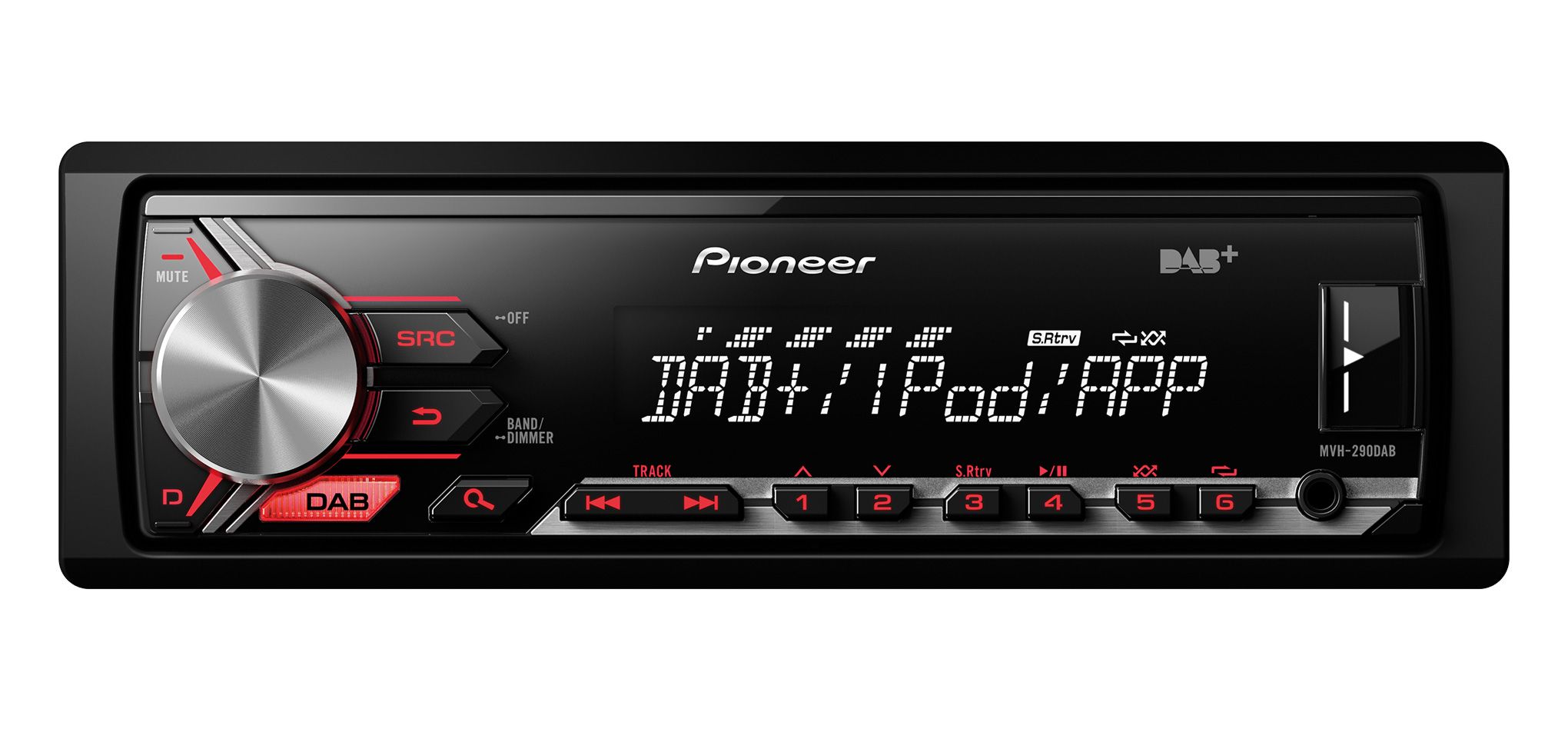
The Pioneer MVH-290DAB is a 1-DIN car stereo for digital radio and music from external sources. It plays WMA, MP3, WAV and AAC files through the front USB input. A front AUX connection accepts an analogue audio source. Two configurable RCA pre-outs simplify the connection of an amplifier or subwoofer. DAB/DAB+ reception may require a separately available aerial.
The Pioneer MVH-290DAB car stereo is a 1-DIN digital media receiver designed for listening to music from USB storage devices, connected audio equipment and digital radio. It plays WMA, MP3, WAV and AAC files. The built-in DAB/DAB+ tuner adds digital radio stations to the available music sources.
Connecting audio sources
The illuminated front USB input is easy to reach when regularly changing a storage device or connecting a phone. The USB port can be used for music playback and for charging compatible mobile devices.
The front AUX input accepts another audio source with an analogue output. This is a practical option for equipment containing music files that the receiver cannot recognise directly. A separate wired remote-control input is also provided.
Two RCA pre-outs can be configured for front and rear channels. Alternatively, they can be set up for front channels and a subwoofer. This choice is important when connecting an external amplifier or an active subwoofer.
Radio functions and DAB aerial
The DAB/DAB+ tuner provides automatic station scanning and a broadcast time-shift function. Traffic announcements, station memory, PTY search and automatic alternative-frequency search are also supported. Stations can be tuned automatically or manually.
The receiver carries the Digital Radio Tick Mark. Reception of DAB/DAB+ signals may require the separately available Pioneer CA-AN-DAB.001 aerial.
Audio settings
A five-band graphic equaliser allows the sound balance to be adjusted for the vehicle interior and the installed speakers. Source-level adjustment helps reduce changes in perceived volume when switching between radio, USB and AUX.
The high-pass filter can restrict the low frequencies sent to the main speakers. The low-pass filter is used to shape the signal supplied to a subwoofer. These filters should be adjusted to suit the frequency range of the connected audio system.
Advanced Sound Retriever is intended for the playback of compressed audio files. The stated maximum MOSFET power output is 50 W × 4. This is a maximum power figure, not an RMS rating.
Controls and installation
The 1-DIN chassis is designed for a corresponding opening in the vehicle dashboard. After installation, the front USB and AUX connections should remain easy to access.
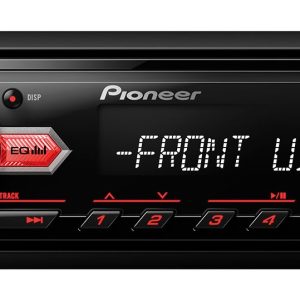
The fully detachable faceplate can be taken with you when leaving the vehicle. The buttons have red illumination. The wide-angle VA LCD shows up to 12 characters on a single line.
The display includes illumination effects, a timer and 10-step brightness adjustment. Its brightness can therefore be matched to the vehicle’s interior lighting. Power Save Mode reduces the receiver’s power consumption while it is not being used.
Phone and app support
The original Android compatibility was intended for phones running Android 4.1 or a later version available at that time. Music playback, charging, app control and voice control over USB were supported.
The Pioneer ARC remote-control function was designed for compatible phones. The stated Apple support covered iPod and iPhone devices, with ARC support starting from the iPhone 5. Available functions included list browsing, music playback, charging, App Mode and direct iPod control.
These phone features describe support for the platform generations available when the receiver was introduced. They do not guarantee operation with current phones, operating systems or app versions.
Technical specifications
| Type | 1-DIN in-car digital media receiver |
|---|---|
| USB audio formats | WMA, MP3, WAV, AAC |
| Radio tuner | DAB/DAB+ |
| DAB functions | Automatic scanning, time shift, traffic announcements |
| Radio tuning | Automatic and manual frequency tuning, PTY, alternative-frequency search |
| Station function | Best Stations Memory |
| DAB certification | Digital Radio Tick Mark |
| DAB aerial | Optional Pioneer CA-AN-DAB.001 aerial may be required |
| Front USB input | Yes, illuminated |
| Front AUX input | Yes |
| Remote-control input | Wired |
| RCA pre-outs | 2; front and rear, or front and subwoofer |
| Maximum MOSFET power | 50 W × 4 |
| Graphic equaliser | 5-band |
| Audio controls | High-pass and low-pass filters, source-level adjustment |
| Audio restoration function | Advanced Sound Retriever |
| Display | Wide-angle VA LCD, 1 line, 12 characters |
| Display settings | Illumination effects, timer, 10 brightness levels |
| Button illumination | Red |
| Faceplate | Fully detachable |
| Energy saving | Power Save Mode |
| Android support | Original compatibility from Android 4.1 |
| Android functions | App control over USB, music, charging, voice control |
| Apple support | Direct iPod and iPhone control |
| Apple functions | App Mode, list browsing, music and charging |
| Pioneer ARC | Original support from iPhone 5 and on compatible Android phones |
FAQ
Does this car stereo play CDs?
No. It is a digital media receiver intended for USB, AUX, DAB/DAB+ and compatible mobile devices.
Is an additional aerial required for DAB radio?
The separately available CA-AN-DAB.001 aerial may be required. The need for an additional aerial depends on the radio system already installed in the vehicle.
How do I connect an external amplifier or subwoofer?
Use the two RCA pre-outs. Select the rear-channel or subwoofer output assignment in the receiver’s menu.
When should I use USB, and when should I use the AUX input?
Choose USB for supported audio files and compatible phones. AUX is suitable for a device equipped with an analogue audio output.
Will a current Android phone or iPhone work with it?
The phone functions were developed for earlier generations of mobile systems. Support for current apps, services and operating systems is not guaranteed.
What must be considered before installation?
The dashboard must have a 1-DIN installation slot. You should also plan the connections for the DAB aerial and RCA cables.