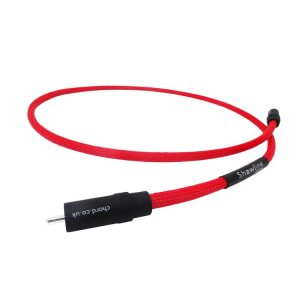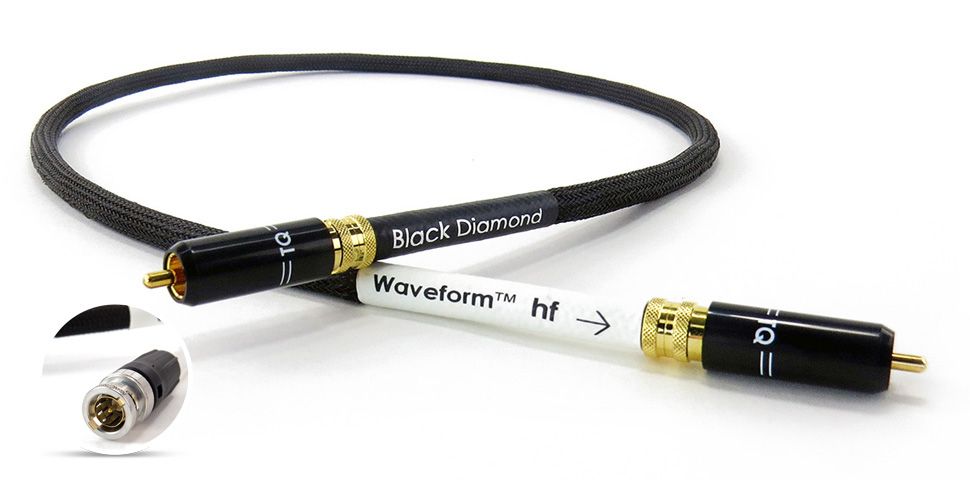
Tellurium Q BD-DRCA Analogue RCA Interconnect Cable
1 047,00 €
Tellurium Q BD-DRCA is an analogue RCA interconnect cable for carrying line-level audio signals between audio components. The Black Diamond model belongs to the Waveform range, where it sits above Black and Ultra Silver but below Silver Diamond. Connect it only between an analogue RCA output and a corresponding line-level input.
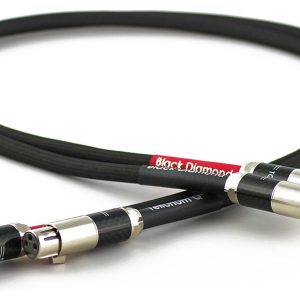
Tellurium Q BD-DRCA is an analogue RCA interconnect cable designed to carry line-level audio signals. It connects an analogue RCA output on a source component to an RCA input on an amplifier or another compatible device. This is the Black Diamond model from Tellurium Q’s Waveform range.
Position in the Tellurium Q range
Black Diamond sits above Black and Ultra Silver but below Silver Diamond. It is therefore relevant to buyers selecting an interconnect according to a specific tier within the Tellurium Q range.
This model is presented as a continuation of the Black family’s design direction while occupying a higher position in the range. Its position alone does not determine electrical compatibility or the final sound of a system. The result also depends on the complete audio chain and the equipment with which the cable is used.
Compatibility and connection
Choose this cable when you need to carry an analogue line-level signal between two devices. The source must provide an analogue RCA output, while the component at the other end of the connection must have a corresponding analogue RCA input.
Suitable sockets are often labelled “Line Out”, “Audio Out”, “Line In” or “Audio In”. Check the purpose of every socket before making the connection. The physical appearance of an RCA socket does not by itself indicate whether it carries an analogue or digital signal.
The BD-DRCA is an analogue interconnect, not a digital signal cable. An analogue RCA connection is not the same as a digital coaxial connection. The sockets used for these two connection types can look similar, but they carry different signals and connect to different circuitry inside the equipment.
Connect this cable only between a suitable analogue output and analogue input. It does not replace an HDMI, optical or USB cable. It must also not be connected to an amplifier’s speaker-level outputs, which are intended for loudspeakers rather than line-level source components.
In a stereo system, the cable can connect the analogue output of a source to a line-level input on an integrated amplifier or preamplifier. Input labels vary between products, so the essential point is to confirm that the selected socket accepts an analogue line-level signal.
Switch off both audio components before connecting the cable. Insert each connector straight into its socket and push it in fully. A secure connection helps prevent intermittent signal loss or unwanted noise caused by incomplete contact.
When disconnecting the cable, hold the connector rather than pulling on the cable itself. Leave enough space behind each component for the cable to follow a natural curve. Avoid pulling it tight or forcing it into sharp bends close to the connectors.
Cable routing within the system
Keep the analogue signal cable away from mains leads and the power cables used by mains filters. If signal and power cables must cross, arrange them so that they meet at right angles. This type of routing helps reduce the likelihood of electromagnetic interference entering the analogue signal path.
Do not wind unnecessary cable length into a tight coil beside power supplies or other power-related equipment. Make sure that furniture and equipment enclosures do not pinch or crush the cable. A clear, orderly route also makes routine system maintenance easier and simplifies future component changes.
Connecting a turntable
A turntable signal normally requires a phono stage. The phono stage may be built into the turntable, integrated into the amplifier or used as a separate component. The BD-DRCA can be used in the part of the signal chain where an analogue line-level signal is being carried.
If the turntable provides a line-level output, the cable can connect that output to a standard line input on the amplifier. Do not connect a phono-level signal directly to a conventional line input unless the required phono correction is provided elsewhere in the signal path.
Systems with multiple components
A single interconnect cable does not divide one signal between several amplifiers or receivers. Connecting multiple devices requires separate outputs on the source or a dedicated device designed to distribute the signal correctly.
Technical specifications
| Manufacturer | Tellurium Q |
| Model | BD-DRCA |
| Model name | Black Diamond |
| Product type | Analogue RCA interconnect cable |
| Signal type | Analogue line-level audio signal |
| Range | Waveform |
| Position in the range | Above Black and Ultra Silver, below Silver Diamond |
FAQ
Is this an analogue or digital RCA cable?
It is an analogue RCA interconnect intended for analogue line-level audio signals. For a digital coaxial, optical or HDMI connection, choose a cable made for the corresponding connection type.
Are the cable length and connector configuration specified?
The supplied information does not state the cable length or exact connector configuration. Check these details in the information for your selected variant before placing an order.
How should I connect the cable in a stereo system?
Switch off both devices, then connect the source component’s analogue output to the chosen line-level input on the amplifier. After switching the system on, select that same input on the amplifier.
Can this cable be used in a home cinema system?
Yes, provided both components have suitable analogue RCA line-level connections. The cable carries analogue audio, but it does not perform the function of an HDMI or optical connection.
Can I connect a turntable directly with this cable?
Only when the signal chain includes a suitable phono stage. A turntable with a line-level output can be connected to a conventional line-level input on an amplifier.
What should I do if I hear hum after connecting the cable?
First, make sure each connector is fully inserted and confirm that you have selected the correct sockets. Move the signal cable away from mains leads, transformers and mains-filter cables.
Can one cable carry the signal to several devices?
No. The cable itself does not distribute the signal. Multiple devices require separate analogue outputs or a dedicated signal-distribution solution.
Related products and categories
Related products