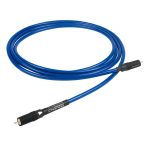
Chord C-Stream Network Cable
47,00 €
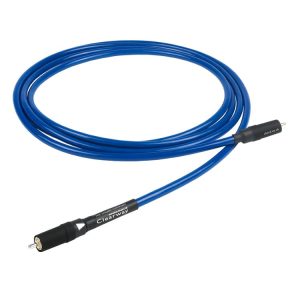
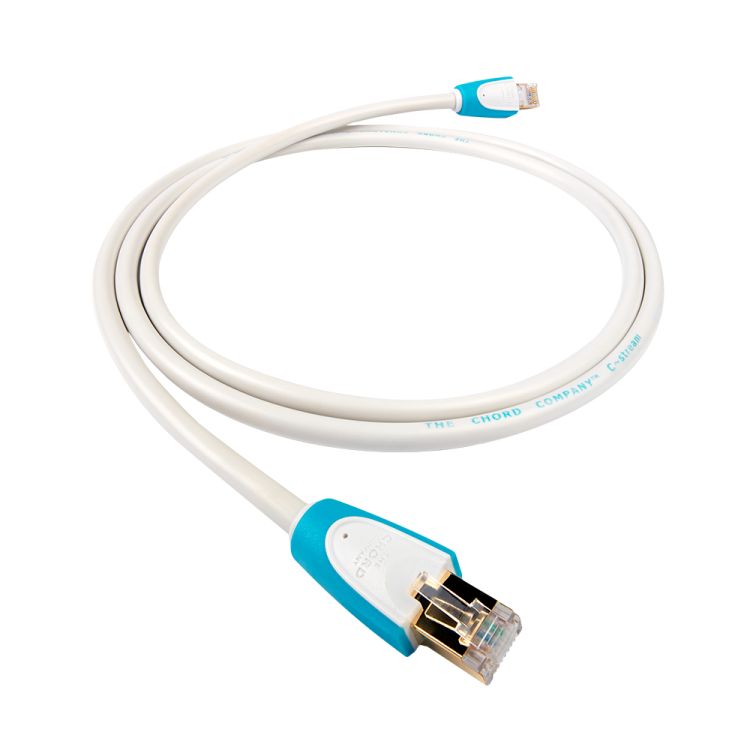
Chord C-Stream is a network cable for audio streaming systems with devices connected through RJ45 sockets. Its oxygen-free copper conductors have low-density polyethylene insulation. The conductor pairs are individually screened and covered by an overall foil screen. Six available lengths let you choose a cable that follows the planned route and reaches both RJ45 sockets.
Chord C-Stream network cable is designed for audio streaming systems with equipment connected through RJ45 sockets. Before choosing a cable, identify the two RJ45 sockets you need to connect. Then select a length that suits the position of your equipment and the route the cable will take between them.
Conductors and insulation
The conductors are made from oxygen-free copper and surrounded by low-density polyethylene insulation. When choosing a cable for your system, check the connection type as well as the cable’s construction. It also helps to plan the route between the devices before deciding which length to order.
Screening and outer jacket
Each pair of conductors is screened individually. A high-density foil screen also covers all the pairs together. The cable has a vibration-damping outer jacket. These construction details describe the C-Stream and may help you compare cables for the network connection in an audio streaming system.
RJ45 plugs
The cable has moulded RJ45 plugs with gold-plated contacts. Check that both devices you intend to connect have RJ45 sockets. If a device has only a USB, optical or analogue audio connection, the C-Stream cannot connect directly to that socket. Choose a cable that matches the connection you actually need to make.
Choosing a length
The available lengths are 0.75 m, 1.5 m, 3 m, 5 m, 10 m and 20 m. Choose a length based on the route from one RJ45 socket to the other. Measure along the furniture and any other points where you plan to run the cable, rather than measuring only the straight-line distance between the devices.
A shorter option may suit sockets that are close together, provided the cable can be connected without being pulled tight. If the equipment sits in different parts of a cabinet, or the cable needs to pass around furniture, allow for the full route. A little spare length makes the plugs easier to connect and gives you room to move a device when needed.
Connection and settings
C-Stream is a cable, so it has no audio or network controls to configure. Before connecting it, decide which two RJ45 sockets will form the required link. For example, you can connect the RJ45 socket on a network music player to an RJ45 socket on your network equipment. Check where both sockets are located. This will help you choose the length and leave enough room to insert the plugs.
After connecting the cable, check the device’s own network settings and the connection status it displays. If your player lets you choose between a wired and a wireless connection, follow its menu and operating instructions. The cable does not change that setting by itself. If no connection appears, first check that both plugs are inserted into the intended RJ45 sockets and that the connected devices are ready for use.
Routing the cable in your room
When planning the route, consider the position of the sockets as well as the distance between the devices. A socket behind a cabinet may require a longer cable run than the visible gap between the equipment. Keep the connections accessible in case you later need to disconnect the player, move the furniture or rearrange the system. Try the intended cable route before settling on the final position of the equipment.
Run the cable where a furniture leg will not trap it, where it will not be sharply bent beside a plug, and where moving a device will not pull it tight. If the route goes around a shelf or across another part of the room, include those turns and the space needed at both sockets in your measurement. This gives you a length based on the actual layout rather than an estimated distance.
Its place in an audio system
This cable is intended for the network connection in an audio streaming system. In a stereo system, it can be used for a network music player’s wired connection if the player has an RJ45 socket. Plan the connection from the player’s audio output to an amplifier separately, according to the sockets on those devices. C-Stream does not replace the cable that connects an amplifier to speakers.
For a home cinema system, first identify which device needs an RJ45 network connection. If several devices have one, count the separate connections you plan to make and measure a cable route for each. One C-Stream connects one selected pair of sockets, so separate links require the corresponding number of cables. Devices in different parts of a cabinet or room may also call for different cable lengths.
Which connection does your system need?
Choose C-Stream for the part of your system that needs a wired connection through RJ45 sockets. If the network equipment is at the other end of the room, measure all the way to its socket along the planned route. If the player and network equipment stand side by side, check which way their sockets face and how much space is available behind them. To carry audio from a player to another device through USB, optical or analogue connections, you will need a cable made for that connection.
Technical specifications
| Model | Chord C-Stream |
|---|---|
| Type | Network cable with RJ45 connectors |
| Intended use | Audio streaming systems using RJ45 connections |
| Conductors | Oxygen-free copper |
| Conductor insulation | Low-density polyethylene |
| Conductor pair screening | Each pair screened individually |
| Overall screen | High-density foil screen |
| Outer jacket | Vibration-damping |
| Plugs | Moulded RJ45 plugs |
| Contacts | Gold-plated |
| Available lengths | 0.75 m; 1.5 m; 3 m; 5 m; 10 m; 20 m |
FAQ
Can I use this cable with a network music player?
Yes, if the connection you want to make uses the player’s RJ45 socket. Choose a length that reaches the other network socket along your planned cable route.
Does it connect to an amplifier’s audio input?
C-Stream has RJ45 plugs and is intended for an RJ45 network connection. An analogue or optical audio input requires a cable with the appropriate connector.
What should I check if the RJ45 socket is behind hard-to-reach furniture?
Before moving the furniture into place, make sure you can reach the socket, insert the plug and remove it if necessary. Include the route all the way to the socket when measuring for cable length.
Is the cable suitable for a home cinema system?
It can be used for an RJ45 network connection on equipment in a home cinema system. It does not connect an amplifier’s speaker outputs to speakers.
Does the screening mean the sound will definitely change?
The individual conductor pairs are screened, and an overall screen covers them together. That construction alone does not guarantee an audible change in a particular system.
Related products and categories
Related products