Chord Signature ARAY Power Mains Cable
700,00 €
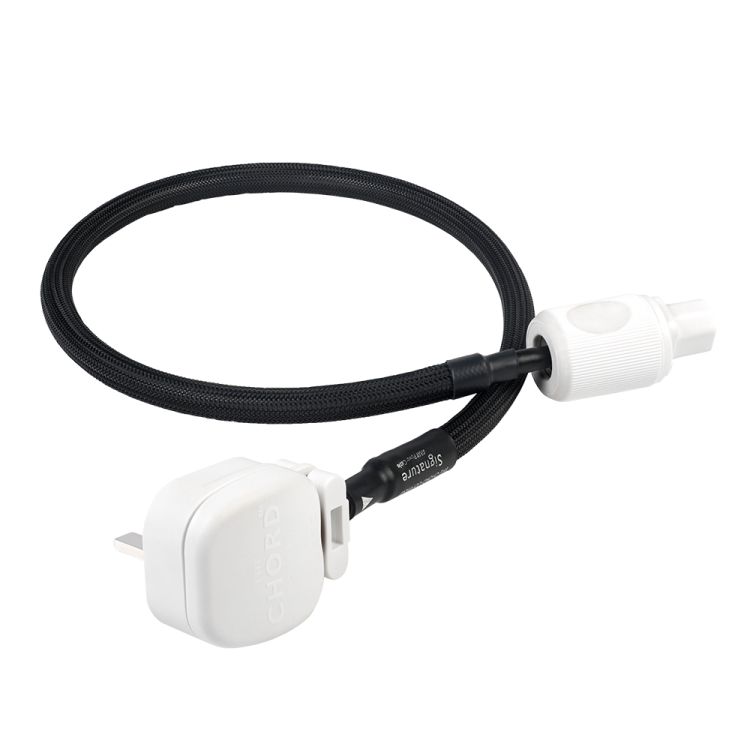
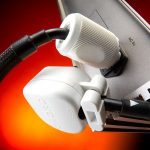
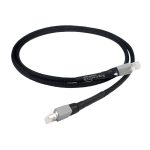
Chord Signature ARAY Power is a 1 m mains cable for audio equipment with a suitable IEC power inlet. Its ARAY conductor arrangement and two-layer shielding are part of the cable’s construction. A high-density braided shield has 95% coverage, and both plugs are silver-plated. Check the shape of your equipment’s inlet and the distance to the outlet before choosing it.
Chord Signature ARAY Power is a 1 m mains cable for audio equipment with a suitable IEC power inlet. It has a silver-plated mains plug at one end and a silver-plated IEC plug at the other. Its construction includes an ARAY conductor arrangement and two-layer shielding. When choosing this cable, first check that both plugs fit their intended connections and that the cable will reach the outlet.
Construction
ARAY describes the arrangement of the conductors inside the cable. It is not an extra connector or a separate device that needs to be installed. The cable connects the mains supply to one component in an audio system.
The two-layer shield includes a high-density braided shield with 95% coverage. That figure describes how much of the cable the braid covers. It does not mean that mains interference will fall by 95%, or that the sound you hear will change by a stated amount.
For a practical choice, consider the cable’s construction alongside the fit of both plugs and the available length. The physical connections and the route to the outlet matter more than the name of the conductor arrangement alone.
Connections and installation
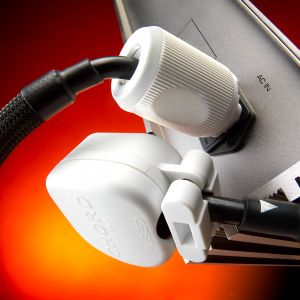
The IEC plug connects to the audio component’s power inlet, while the mains plug connects to a suitable outlet. IEC connectors come in different shapes, so the label “IEC” by itself is not enough to establish a fit. Check the shape of the inlet on the particular component you intend to use.
Before changing the cable, switch off the component and disconnect its existing power lead. Compare the old lead’s connector with the component’s inlet, then confirm that the IEC plug on the new cable matches. Check the mains plug against the outlet you plan to use as well. If you are unsure about the connector shape, consult the component’s instructions. Do not force a plug into an inlet that does not fit.
This is a cable for electrical power. It does not carry an audio signal between components and cannot replace an interconnect or speaker cable. The component must have an inlet for a detachable power lead; this cable cannot directly replace a lead that is permanently attached to the equipment.
If you plan to change one cable in a system, a source component such as a CD transport is one possible place to start. Changing one connection at a time can make it easier to keep track of your system setup. Starting with a source component is a choice, not a promise of a particular change in sound.
There are no controls on the power cable to set. Connecting it does not require you to change the component’s volume, input selection or other operating settings because of the cable itself. Before switching the component on, check that each plug is connected where intended and that the cable is not pulling on either connection. If you are rearranging several components, reconnect them one at a time so it is clear which lead belongs to each device.
Length and position in the system
The one-metre length is relevant when the audio component is close to an outlet or a power distribution point. Measure along the route the cable will actually follow. A straight-line measurement from the outlet to the component may miss the length needed behind the equipment.
Allow room for the plugs and for the cable to turn near the component’s power inlet. This is especially useful to check when a component sits on a shelf close to its rear panel. The cable needs to reach without putting tension on the connections.
Also look at where the power inlet sits on the component: it may be some distance from the edge of the shelf. With the component in its intended position, check that there is enough space behind it to insert and remove the IEC plug. Route the cable so that a shelf or another device does not press on it and so that it does not need a sharp bend beside the plug. If the planned route is too long, reconsider the positions of the component and outlet before buying.
In a stereo or home cinema system, this cable supplies one connected component. Each additional component that needs its own mains connection needs a separate power connection. The deciding factors are the inlet on the chosen component and its position in the system, rather than the number of audio channels.
The same checks apply whether the component is in a stereo or home cinema setup. Devices within one system can use different methods of connecting to power. If several components have detachable power leads, decide which one will receive this cable, then check that specific device’s inlet and its distance from the outlet.
Technical specifications
| Model | Chord Signature ARAY Power |
|---|---|
| Type | Mains cable |
| Length | 1 m |
| Conductor arrangement | ARAY |
| Shielding | Two-layer |
| Braided shield | High-density, 95% coverage |
| Connectors | Silver-plated mains plug and silver-plated IEC plug |
FAQ
Can I connect this cable to any audio device?
It can be used with a device whose inlet for a detachable power lead matches this cable’s IEC plug. It is not suitable for a device with a permanently attached power lead.
Is the cable suitable for both stereo and home cinema systems?
Yes. In either type of system, it connects one suitable component to the mains supply. The type of system does not tell you the shape of an individual component’s power inlet, so check that component before choosing the cable.
Do I have to start with a source component?
No. A source component is simply a suggested starting point if you want to replace one cable. Choose a component with an inlet that fits the IEC plug, and make sure a suitable outlet is available for the mains plug.
How can I tell whether one metre is enough?
Measure the intended route from the component’s power inlet to the outlet. Account for the depth of the shelf and the space needed for both plugs and the turn in the cable. Check that it can reach without pulling on the connections.
Can this cable connect several components?
No. It has one plug at each end and connects one device. Other separately powered components need their own power connections.